Best Freightify Alternatives in 2026 (Top 10 Compared)
Author:
Pamela
Published On:
1 min read
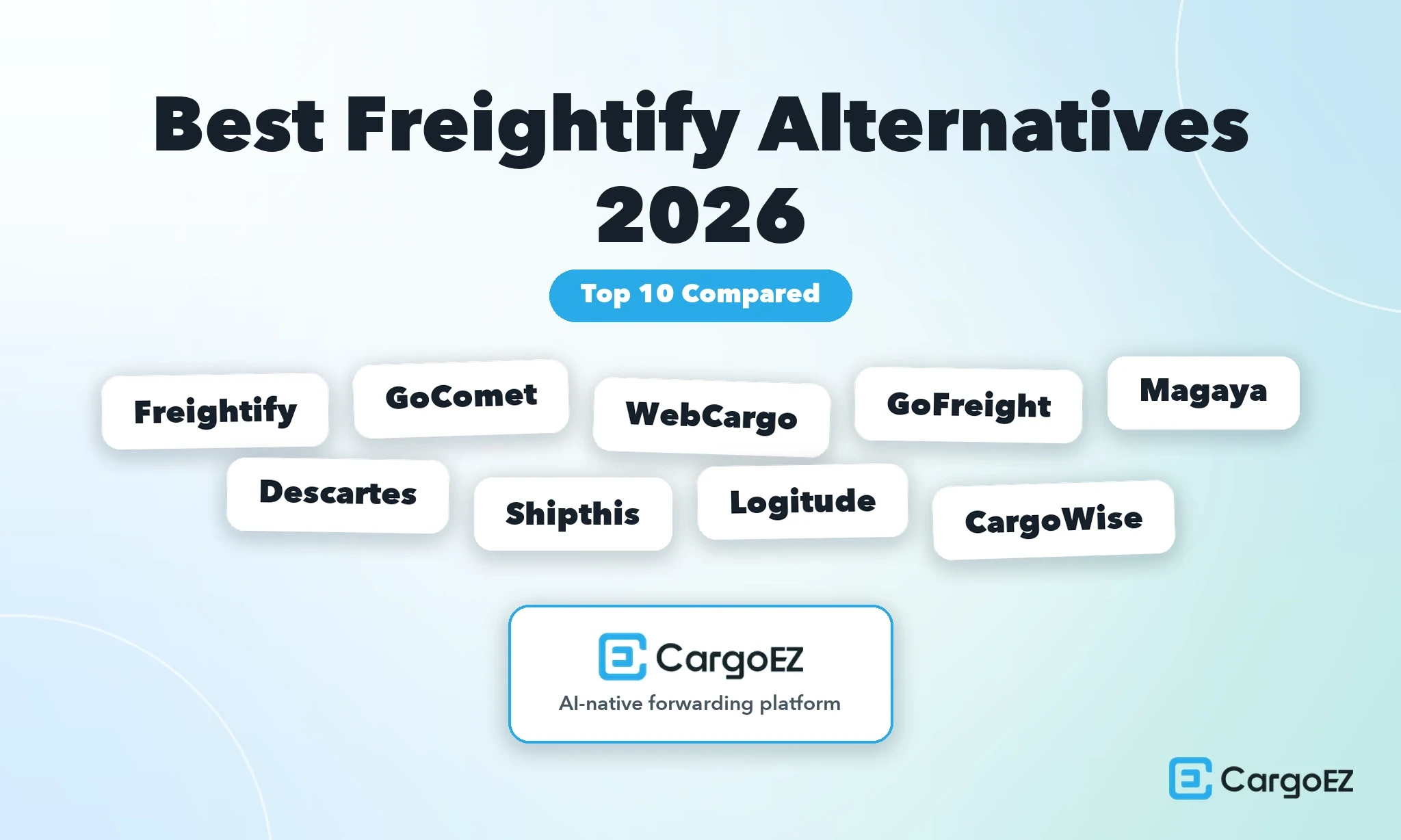
Comparing the top 10 best Freightify alternatives includes 1. CargoEZ, 2. Freightify, 3. GoComet, 4. WebCargo, 5. GoFreight, 6. Magaya, 7. Descartes MacroPoint, 8. Shipthis, 9. Logitude World, and 10. CargoWise.
This is a comparison of software platforms, not of freight forwarding companies or forwarding services. Every product below is something a forwarder licenses and logs into, not a carrier, a broker or an agent network.
Here is the most important thing on this page. Freightify is very well rated, and this article is about fit, not failure. Its G2 profile shows 4.8 out of 5 from 65 reviews, and the distribution is 60 five-star reviews, 5 four-star reviews and nothing at all below four stars. There is no unhappy cohort to point at. If you are searching for Freightify alternatives, the honest reason is almost never that Freightify is doing its job badly.
The reason is usually scope. Freightify is a rate procurement, rate management and quotation tool. It is built to pull, store, compare and quote ocean, air and road rates, and it is very good at that. It is not a full forwarding operations suite, and it does not claim to be one.
Freightify Alternatives at a Glance
The two tables below do different jobs. The first one is for elimination: price and free trial decide whether you can even evaluate a platform, implementation timing decides whether it fits your calendar, and the review count tells you how much weight the rating deserves. A 5.0 from one review and a 4.4 from 281 reviews are not the same signal.
Platform | Best for | Starting price | Free trial | Implementation | Rating |
CargoEZ | US small and midsize air and ocean forwarders who want CRM, rates, operations, ledger and customs on one shipment record | Custom quote, no public price | Not documented | Under one month (G2 average) | 4.8 from 40 reviews (G2) |
Freightify | Centralised contract and spot rate management with white-label quote, book and track | Not published, all tiers route to Contact Sales, transaction fees apply | Not documented | 2 months (G2 User Insights) | |
GoComet | Visibility, rate benchmarking and freight audit for shippers and large logistics teams | Not publicly disclosed | Not documented | Not documented | |
WebCargo | The largest air eBooking network, live air capacity and booking | Book Air is free for forwarders, paid modules not disclosed | Book Air is free to use | Not documented | 4.1 from 28 reviews (Capterra), G2 figure not verified |
GoFreight | Forwarders wanting an operations suite with built-in accounting | Not publicly disclosed | Not documented | 4 to 8 weeks (vendor claim) | 4.8 from 92 reviews (G2), 4.6 from 25 (Capterra, 2019 to 2020) |
Magaya | Established forwarders and 3PLs wanting deep logistics functionality | Not publicly disclosed | Not documented | Not documented, G2 ease of setup 8.2 out of 10 | 4.4 from 281 reviews (G2), 4.4 from 51 (Capterra) |
Descartes MacroPoint | Real-time freight visibility added to an existing TMS | Not publicly disclosed | Not documented | Not documented | |
Shipthis | Small forwarding teams wanting per-seat pricing and a trial before commitment | $89 per user per month (Standard) | 30 days | Not documented | |
Logitude World | Forwarders wanting transparent per-seat pricing on a cloud suite | $75 per user per month (Smart) | Not documented | Not documented | |
CargoWise | Large multi-country forwarders with in-house or partner implementation capacity | Value Packs, transaction fee per logistics job, no public dollar figures | Not documented | Not documented, G2 ease of setup 6.4 out of 10 | 4.3 from 35 reviews (G2), 2.9 from 32 (Capterra, no reviews after May 2022) |
Table 2: Capability matrix
Platform | Product shape (rate tool vs full suite) | Contract rates | Spot rates | Built-in accounting ledger | US customs filing |
CargoEZ | Full suite, nine modules on one shipment record | Yes, Rates module | On the V2.0 roadmap | Yes, native double-entry | Yes, beta, includes AMS and ISF |
Freightify | Rate tool, procurement, management and quotation | Yes | Yes | Not documented | Not documented |
GoComet | Point tool, visibility, rate benchmarking and freight audit | Rate benchmarking | Rate benchmarking | No forwarder accounting | No |
WebCargo | Rate and booking network with paid rate management modules | Yes, paid module | Yes, air eBooking across 75+ carriers | Not documented | Not documented |
GoFreight | Full suite | Not documented | Not documented | Yes, accounting module, users report gaps | Not documented |
Magaya | Full suite | Not documented | Not documented | Accounting with QuickBooks sync, users report sync failures | Not documented |
Descartes MacroPoint | Point tool, real-time visibility, plugs into a TMS | Not documented | Not documented | Not documented | Not documented |
Shipthis | Full suite | Not documented | Not documented | Not documented | Not documented, users report clearance tasks cannot be automated |
Logitude World | Full suite | Not documented | Not documented | Accounting module documented, users report missing reports | Not documented |
CargoWise | Full suite, enterprise | Not documented | Not documented | Not documented | Not documented |
My Picks: Best Freightify Alternatives
CargoEZ is best for US small and midsize air and ocean forwarders who want the quote, the job, the ledger entry and the customs filing on one shipment record.
Freightify is best for pure rate procurement, rate management and white-label customer quoting, and remains the benchmark in that category.
GoComet is best for visibility, rate benchmarking and freight audit across a large shipping programme.
WebCargo is best for live air capacity and the largest air eBooking network available to forwarders.
GoFreight is best for forwarders who want an operations suite with accounting included rather than bolted on.
Magaya is best for established forwarders and 3PLs who need deep, mature logistics functionality.
Descartes MacroPoint is best for real-time freight visibility added to a TMS you already run.
Shipthis is best for small teams who want published per-seat pricing and a real trial period.
Logitude World is best for forwarders who want transparent per-user pricing on a cloud operations suite.
CargoWise is best for large multi-country forwarders with the capacity to run a partner-led implementation.
How I Evaluated These 10 Platforms
Every platform was run through the same six gates. Because this is a rate-led comparison, the framework is built around one question: does a rate survive the journey from carrier sheet to bank balance without being re-typed? We call it the Rate-to-Revenue Test.
Gate 1: Automated rate management
Can the platform ingest carrier contract rates without manual data entry, hold multiple validity windows at once, and surface the right rate for a given lane, equipment type and date? Manual rate sheet loading is where most forwarders lose hours and where stale rates start quoting themselves.
Gate 2: Instant quoting and e-booking
How fast does a rate become a quote a customer can accept, and can that acceptance create a booking without a human re-entering it? A tool that produces a beautiful PDF a salesperson emails manually has automated the wrong half of the problem.
Gate 3: White-label customer portal
Can your customer search, quote, book and track under your brand, not the vendor's? This is a commercial question as much as a technical one. A portal carrying someone else's logo trains your customer to shop the platform, not you.
Gate 4: Real-time track and trace
Does the platform provide milestone tracking against the actual shipment, and where does that data come from? Tracking sourced from a third party is still useful, but you should know it is third party, because your escalation path changes.
Gate 5: Integrations with TMS, ERP and accounting
Where the platform is not the system of record, how well does it hand off? API depth, carrier connection count and accounting sync reliability all sit in this gate. The failure mode here is not "no integration", it is an integration that silently drops or duplicates records.
Gate 6: Analytics and reporting
Can you see quote-to-win rate by lane, realised margin against quoted margin, and revenue by customer, without exporting to a spreadsheet? A reporting layer that only reports on operational events, never financial ones, cannot answer the question that actually matters.
A note on scoring. A point tool that nails three gates is not worse than a suite that half-covers all six. It is different. Gates 1 through 4 favour rate platforms, gates 5 and 6 favour operations suites, and the right answer depends entirely on which half of the workflow is currently broken for you.
Detailed Comparison
1. CargoEZ
Best for
US small and midsize air and ocean forwarders who want CRM, rates, operations, a real ledger and customs filing writing to the same shipment record.
Product shape | Full operations suite, nine modules on one login |
Starting price | Custom quote, no public price |
Free trial | Not documented |
Implementation | Under one month (G2 average) |
Rating | 4.8 from 40 reviews (G2) |
Compliance | SOC 2, ISO 27001, GDPR |
Ideal customer | US small and midsize air and ocean forwarders |
CargoEZ is built around one idea, which is that a shipment should live in a single record rather than being passed between modules. The specifics:
Nine modules on one login. Contacts, Leads, Rates, Freight, Finance, Warehouse, Chat, Customs and Admin.
One shipment record. CRM, rate desk, operations, the ledger and customs all write to the same file, so a quote becomes a booking without a re-key.
Costs post where they accrue. The costs on the job are the costs the ledger posts, and the customs filing references the file the operator already has open.
A native double-entry ledger. Finance is the book of record, not a bridge to an accounting package, so there are no two sources of truth to reconcile.
US customs in the platform. The Customs module covers AMS and ISF and is currently in beta.
Deliberately narrow. Built for US air and ocean forwarders, not NVOCCs, enterprise global forwarders, trucking-only operations, parcel or warehousing-first businesses.
V2.0 work. Road and door-to-door movements, spot-rate procurement and direct ACE portal connectivity.
Implementation. Under one month on average per G2, the fastest documented figure in this comparison.
Security. SOC 2, ISO 27001, GDPR, TLS 1.2+ in transit and AES-256 at rest.
That architecture targets the problem that dominates the review evidence in this category, which is not missing features but data a person has to move between modules or between systems.
Pros
Nine modules on one login and one shipment record, so the quote, the job, the ledger entry and the customs filing are all the same object
A native double-entry ledger built into the platform rather than a sync to external accounting software
AMS and ISF filing in beta, on the same shipment record as operations
Implementation under one month on the G2 average, which is roughly half the two months reported for Freightify
SOC 2, ISO 27001 and GDPR compliance already in place
Built specifically for US small and midsize air and ocean forwarders rather than adapted down from an enterprise product
Cons
Spot-rate procurement is a V2.0 item, which is precisely Freightify's strongest area
Direct ACE portal filing is V2.0, and the Customs module is still in beta
No public pricing, so you cannot budget without a sales conversation
Not built for NVOCCs, enterprise multi-country groups, trucking-only operators or parcel
Full review: CargoEZ
Snapshot. A forwarding operations platform for US small and midsize air and ocean forwarders, built around a single shipment record shared by nine modules. The differentiator is continuity rather than depth in any one module.
Tool Features.
Contacts and Leads: CRM for accounts, prospects and quote history
Rates: contract rate storage and quoting, with spot-rate procurement on the V2.0 roadmap
Freight: bookings, documents and operational milestones
Finance: native double-entry ledger, invoicing and job costing
Warehouse: receiving and cargo handling records tied to the shipment
Chat: internal and customer communication against the shipment record
Customs: beta, including AMS and ISF filing
Admin: users, permissions and configuration
What It Costs. Custom quote, no public price. You will need a pricing conversation to get a number. Ask specifically how pricing scales with shipment volume versus user count, because those two models behave very differently for a growing forwarder.
Best fit for. US forwarders moving air and ocean freight, somewhere between five and fifty users, who currently run a rate tool plus an operations system plus QuickBooks and are tired of reconciling all three.
Not built for. NVOCCs, enterprise multi-country groups, trucking-only operators, parcel operations, and any forwarder whose primary requirement is spot-rate procurement depth today.
What users are saying
CargoEZ holds 4.8 out of 5 on G2 from 40 reviews. At that score it is tied for the highest score in this comparison among the platforms that run a full shipment file, level with GoFreight, and level with Freightify's own 4.8 on the rate side. The caveat is sample size: 40 reviews is a thin base compared with Magaya's 281 or Descartes MacroPoint's 893, and a small sample flatters a good product. Weight it accordingly and ask for references in your own trade lanes. The same G2 profile reports implementation under one month on average, which is the number most worth verifying against your own migration scope.
Our Verdict
Choose CargoEZ if the pain is continuity rather than rate coverage: you want the quote, the job, the ledger entry and the AMS or ISF filing on one record, and you are a US air and ocean forwarder in the small to midsize band. Do not choose it to outdo Freightify on spot rates, because spot-rate procurement is a V2.0 item. Verify the Customs beta scope, road coverage timing and how pricing scales before signing.
2. Freightify
Best for
Centralised contract and spot rate management with white-label quote, book and track, which is the category it effectively defines.
Product shape | Rate procurement, rate management and quotation tool |
Starting price | Not published, all tiers route to Contact Sales, transaction fees apply |
Free trial | Not documented |
Implementation | 2 months (G2 User Insights) |
Rating | 4.8 from 65 reviews (G2), 4.0 from 12 (TrustRadius) |
Carrier coverage | 30+ ocean carriers, 90+ airlines |
Modes | Ocean, air and road rates |
Freightify is the baseline this whole page is measured against, and it deserves to be profiled positively. The specifics:
Carrier breadth. It aggregates rates from 30+ ocean carriers and 90+ airlines, covering ocean, air and road.
White-label quoting. That rate library turns into quotes your customer can accept through a white-label quote, book and track experience.
Support is a named strength. Support quality comes up repeatedly in reviews, not just as a footnote.
The cleanest distribution on the page. On G2, Freightify shows 60 five-star reviews and 5 four-star reviews, with no reviews at all at three stars or below. Across ten platforms in this comparison, nothing else matches it. Any article that tells you forwarders are fleeing Freightify because it disappoints them is not reading the same data.
No published pricing. All three tiers, Essentials, Essentials+ and Enterprise, route to Contact Sales, and the pricing page states that transaction fees apply. Essentials+ includes 500 rate search credits per month per user, rate sheets are billed per rate sheet, and there is a 10% discount for annual commitment.
SLAs and paid add-ons. Support runs on two SLAs, Pro at one working day and Lite at three working days. Several capabilities are paid add-ons rather than included: the Carrier Charges Subscription, the CO2 Emissions Calculator, and the White-Label Quote, Book and Track module.
What that structure implies. Credits, per rate sheet billing and transaction fees mean your bill moves with your quoting activity. That can be efficient for a seasonal forwarder and less predictable for one scaling fast, so model it against your own volumes before comparing it to a flat per-seat product.
The one recurring critique. Carrier coverage comes up three separate times from different reviewers, and G2's own summary notes that some users see a limitation in the availability of carrier options. All three of those critiques come from reviewers who otherwise rated the product positively.
Pros
Best in class at centralised spot and contract rate management, which is the core job
Aggregates rates across 30+ ocean carriers and 90+ airlines, covering ocean, air and road
White-label customer-facing quote, book and track keeps your brand in front of your customer
Responsive support cited repeatedly across reviews
60 five-star and 5 four-star reviews on G2 with nothing below four stars
Reviewers describe it as affordable, including one small-business reviewer who called it "such an affordable price"
Cons
Carrier coverage is the one consistent theme in critical feedback, raised by three separate reviewers
No published pricing, and transaction fees apply on top of tier cost
Credits, per rate sheet billing and add-on modules make total cost harder to forecast
Schedule data is provided via a third-party service rather than built in-house, per a verified reviewer
2 month implementation and 14 month ROI on G2 User Insights are longer than some buyers expect from a rate tool
It is a rate platform, so operations, job costing, a general ledger and customs filing sit outside it
Full review: Freightify
Snapshot. A rate procurement, rate management and quotation platform for forwarders, aggregating carrier rates across ocean, air and road and exposing them through a white-label customer interface. Very strong within that scope, and explicitly not an operations suite.
Tool Features.
Contract and spot rate procurement and storage
Rate aggregation from 30+ ocean carriers and 90+ airlines
Ocean, air and road rate coverage
Instant quoting from stored rates
White-label Quote, Book and Track module (paid add-on)
Carrier Charges Subscription (paid add-on)
CO2 Emissions Calculator (paid add-on)
Rate search credits, 500 per month per user on Essentials+
What It Costs. Not published. Essentials, Essentials+ and Enterprise all route to Contact Sales, and transaction fees apply. Rate sheets are billed per rate sheet. A 10% discount is offered for annual commitment. Support is sold as two SLAs, Pro at one working day response and Lite at three working days. Because no dollar figures are published anywhere, do not accept a third-party price estimate for Freightify from any source, including this one.
Best fit for. Forwarders whose main constraint is rate coverage, rate freshness or quote turnaround, and who already have an operations and accounting stack they are happy with.
Not built for. Forwarders looking for job costing, a general ledger, US customs filing or a single shipment record covering sales through to invoicing. Those buyers will want a different fit.
What users are saying
4.8 out of 5 on G2 from 65 reviews, with 60 five-star and 5 four-star ratings and nothing below. TrustRadius shows 4.0 from 12 ratings. The Capterra profile currently carries zero reviews and still sits at the legacy FreightBro URL while displaying the Freightify name, so it is not a useful signal either way.
The critiques are mild and specific. Holger R., a Procurement Manager at a mid-market company who rated it 4 out of 5, wrote: "There is sometimes a longer waiting time when retrieving the data. Unfortunately, the costs for FCL rail and land transport cannot be determined." A Verified User in Logistics and Supply Chain at a mid-market company noted that the "schedule API is provided via third party service and not done by freightify itself" and that "full API connections to more carriers would be handy". David B., a small-business reviewer, wrote: "The downside that we are facing at the moment is, the number of supported carriers on the platform." The same reviewer also referred to "such an affordable price", which is why no cost complaint appears in the cons above.
G2's own review summary reflects the same theme, noting that some users see a limitation in the availability of carrier options. Carrier coverage is the single solid critical theme across the whole profile.
Our Verdict
Stay on Freightify if rate procurement, rate management and white-label quoting are the job you are hiring software to do. It is rated 4.8 with no reviews below four stars, and the only recurring critique is carrier coverage. Evaluate alternatives when the missing piece sits after the quote, in operations, job costing, the ledger or customs. Model the transaction fees and per rate sheet billing against your own volumes before renewal.
3. GoComet
Best for
Visibility, rate benchmarking and freight audit across a large shipping programme.
Product shape | Point tool, visibility, rate benchmarking and freight audit |
Starting price | Not publicly disclosed |
Free trial | Not documented |
Implementation | Not documented |
Rating | |
Notable gap | No shipment file, no job costing, no forwarder accounting, no customs filing |
GoComet carries the highest rating in this comparison, and the product shape explains exactly where that score applies. The specifics:
The rating. 4.9 out of 5 from 242 G2 reviews, backed by 4.8 from 51 on Capterra. That is a large sample and a strong score, and it reflects a product that does its job well.
What the product is. A visibility, rate benchmarking and freight audit tool.
The questions it answers well. Whether the rate you are paying is competitive, and whether the invoice you received matches what was agreed.
Who it is built for. Largely the shipper side and large logistics teams managing spend.
What it is not. A forwarding system. There is no shipment file, no job costing, no forwarder accounting and no customs filing, so if you are a forwarder looking to replace Freightify with something that also runs your operations, GoComet does not close that gap.
Where it wins outright. If you are benchmarking rates and auditing freight invoices, it is one of the strongest products available.
Pros
Highest rating in this comparison at 4.9 from 242 G2 reviews, a genuinely large sample
Strong rate benchmarking, which answers a different and useful question from rate procurement
Freight audit catches invoice discrepancies that rate tools and operations suites both miss
Real-time visibility coverage that is strongest in ocean
Consistently positive review sentiment across both G2 and Capterra
Cons
No shipment file, so it cannot be a forwarder's system of record
No job costing and no forwarder accounting
No customs filing
Ocean coverage is stronger than road coverage, per reviewer feedback
Bill of lading handling is restricted to PDF format, per reviewer feedback
Template and notification customisation is limited, per reviewer feedback
Pricing not publicly disclosed
Full review: GoComet
Snapshot. A visibility, rate benchmarking and freight audit platform with the strongest review profile in this comparison. A point tool by design, sitting alongside an operations system rather than replacing one.
Tool Features.
Real-time shipment visibility and milestone tracking
Rate benchmarking against market data
Freight audit and invoice discrepancy detection
Reporting on freight spend
Document handling, with bill of lading uploads restricted to PDF
What It Costs. Not publicly disclosed. Ask for pricing modelled on your annual shipment count, since spend-oriented tools are frequently priced against volume.
Best fit for. Shippers and large logistics teams who need to know whether their freight spend is competitive and whether their invoices are correct.
Not built for. Forwarders who need a shipment file, job costing, a general ledger or customs filing. Those buyers will want a different fit.
What users are saying
4.9 out of 5 from 242 G2 reviews and 4.8 from 51 Capterra reviews. The critical notes are specific and operational. Rushabh T. observed that "GoComet's coverage for ocean freight is more comprehensive than its coverage for road freight". Shwetha S. noted that "The restriction to only PDF format for BLs is somewhat limiting". Prakash V. wrote: "I wish there were more ways to customise templates and notifications to match our unique branding."
Our Verdict
Choose GoComet if your question is whether your freight spend is competitive and your invoices are accurate. The 4.9 from 242 reviews is the strongest signal on this page and it is earned. It is not a Freightify replacement for a forwarder who needs a rate desk that flows into operations, because there is no shipment file, no job costing and no customs filing. Best used alongside an operations system, not instead of one.
4. WebCargo
Best for
Live air capacity and the largest air eBooking network available to forwarders.
Product shape | Rate and booking network with paid rate management modules |
Starting price | Book Air is free for forwarders, paid modules not disclosed |
Free trial | Book Air is free to use |
Implementation | Not documented |
Rating | 4.1 from 28 reviews (Capterra), G2 figure not verified |
Network | 75+ air carriers |
WebCargo, the Freightos product line for forwarders, is the closest thing the market has to a standard for air eBooking. The specifics:
Book Air is free. Forwarders can search, compare and book air cargo across 75+ carriers at no cost.
Lowest evaluation friction on this page. You can be searching live capacity today without a procurement cycle.
Paid modules are a separate question. They cover advanced rate management, self-service customer portals and API integrations. Those prices are not disclosed, so the free tier tells you nothing about what a full deployment costs.
Tariff is not selling rate. Kiran P., an APAC Regional Pricing and Tender Manager, wrote: "It only gives an idea of the airlines tariff, the actual selling rate is way different".
Why that comment matters more than any feature list. A rate network shows you the buy side. Your selling rate, your margin and your invoice live somewhere else, and no rate network is going to reconcile them for you.
The rating to read. The Capterra profile shows 4.1 from 28 reviews, which is the lowest verified score on this page and worth reading in full before committing to paid modules. We could not verify a G2 rating for WebCargo, so no G2 figure is published here.
Pros
Book Air is genuinely free for forwarders, so evaluation costs nothing
Largest air eBooking network in the market, spanning 75+ carriers
Live air capacity and booking rather than static rate sheets
Paid modules available for advanced rate management, customer portals and API integrations
Lowest barrier to trial of any platform in this comparison
Cons
Displayed tariffs are not selling rates, per reviewer feedback, so margin still has to be built elsewhere
Rate availability gaps and missing airlines cited by reviewers
Dangerous Goods and Pharmaceuticals booking flows have room for improvement, per reviewer feedback
4.1 from 28 Capterra reviews is the lowest verified rating in this comparison
Paid module pricing is not disclosed
No forwarder ledger or customs filing documented
Full review: WebCargo
Snapshot. The air eBooking network of record for a large part of the forwarding market, offered free at the Book Air tier, with paid modules layered on top for rate management, customer portals and integrations.
Tool Features.
Air cargo search, comparison and booking across 75+ carriers
Live capacity and eBooking
Advanced rate management (paid module)
Self-service customer portals (paid module)
API integrations (paid module)
What It Costs. Book Air is free for forwarders. Paid module prices are not disclosed. Because the free tier is genuinely free, the practical evaluation move is to use it on live lanes for a fortnight before you talk to anyone about the paid modules.
Best fit for. Air-heavy forwarders who want the widest live carrier booking network, and who already have an operations and finance stack.
Not built for. Forwarders who need selling rates, margin control, a ledger or customs filing inside the same product. Those buyers will want a different fit.
What users are saying
Capterra shows 4.1 from 28 reviews. A G2 rating could not be verified, so none is published here. Kiran P., an APAC Regional Pricing and Tender Manager, wrote: "It only gives an idea of the airlines tariff, the actual selling rate is way different". António d. noted that "alot of rates are not available, and missing more airlines with rates". Rody M. observed that "there is still room for improvement when it comes to booking Dangerous Goods and Pharmaceuticals."
Our Verdict
Run Book Air regardless of what else you buy, because it is free and it is the widest air booking network available. Treat it as a rate and capacity layer, not a Freightify replacement and definitely not an operations system. Kiran P.'s point about tariffs versus actual selling rates is the thing to internalise: margin, invoicing and compliance still need a home. Verify paid module pricing before assuming the free tier scales.
5. GoFreight
Best for
Forwarders who want an operations suite with accounting included rather than bolted on.
Product shape | Full operations suite |
Starting price | Not publicly disclosed |
Free trial | Not documented |
Implementation | 4 to 8 weeks (vendor claim) |
Rating | |
[Capterra](https://www.capterra.com/p/181090/GoFreight/reviews/) caveat | Capterra reviews are dated 2019 to 2020 |
GoFreight is a full forwarding operations suite and one of the more credible options on this page for a forwarder who wants to move from a rate tool plus spreadsheets to an actual system of record. The specifics:
The rating. A strong 4.8 from 92 G2 reviews, which is a meaningful sample.
Implementation is a vendor claim. The figure of 4 to 8 weeks is a vendor claim, not a verified average from review data, and should be treated as such. Ask for references who completed migration in that window with a data volume like yours.
The Capterra score is dated. 4.6 from 25 reviews is real but posted in 2019 and 2020, so those reviews describe a product that is six years old at the time of writing. They are not current sentiment. Lean on the G2 profile instead.
Accounting is where reviewers push back. frank f. wrote that the product would "need more account function...don't need another accounting software running".
Invoice handling specifically. edward l. added that the "accounting function does not allow to revise and reconcile invoices with ease."
Read both as scope requests. They come from users of a highly rated product, and the ask underneath them is consistent: forwarders want the ledger inside the operations system, not next to it.
Pros
4.8 from 92 G2 reviews, a strong score on a solid sample
A genuine operations suite rather than a rate layer, so the shipment file exists
Accounting functions are included rather than requiring a separate package from day one
Vendor-claimed implementation of 4 to 8 weeks is fast for a full suite
Well established with forwarders rather than adapted from a shipper product
Cons
Accounting depth is the recurring critique, with reviewers asking for more function and easier invoice revision and reconciliation
Capterra reviews date from 2019 to 2020 and do not reflect current sentiment
Pricing is not publicly disclosed
The 4 to 8 week implementation window is a vendor claim, not verified review data
Contract rate and spot rate handling are not documented publicly, so the rate desk depth needs checking on the demo
Full review: GoFreight
Snapshot. A cloud forwarding operations suite with accounting included, strongly rated on G2, and a plausible destination for a forwarder outgrowing a standalone rate tool.
Tool Features.
Shipment file and operational workflow
Accounting functions built into the platform
Document handling
Reporting across operations
What It Costs. Not publicly disclosed. Ask whether pricing is per seat or per shipment, and what happens in your peak month.
Best fit for. Forwarders who want one operational system of record and are prepared to accept accounting that reviewers describe as functional but wanting more depth.
Not built for. Buyers whose main requirement is spot-rate procurement breadth, or those who need audited, invoice-level accounting workflows without compromise. Those buyers will want a different fit.
What users are saying
4.8 from 92 G2 reviews and 4.6 from 25 Capterra reviews, with the important caveat that the Capterra reviews are dated 2019 to 2020. On accounting, frank f. wrote that they "need more account function...don't need another accounting software running", and edward l. noted that the "accounting function does not allow to revise and reconcile invoices with ease."
Our Verdict
GoFreight is a credible step up from a standalone rate desk for a forwarder who wants the shipment file and the accounting in one place. The 4.8 from 92 G2 reviews carries real weight. Pressure-test the accounting module specifically, since invoice revision and reconciliation are the two things reviewers name, and ask for an implementation reference at your data volume rather than taking the 4 to 8 week claim at face value.
6. Magaya
Best for
Established forwarders and 3PLs who need deep, mature logistics functionality.
Product shape | Full operations suite |
Starting price | Not publicly disclosed |
Free trial | Not documented |
Implementation | Not documented, G2 ease of setup 8.2 out of 10 |
Rating | |
Sample size | Largest forwarding-suite sample in this comparison |
Magaya has the deepest review history of any forwarding suite here. The specifics:
The largest suite-side sample on the page. 281 [G2](https://www.g2.com/products/magaya-supply-chain/reviews) reviews at 4.4, and 51 Capterra reviews also at 4.4. Two independent platforms landing on the same number across 332 combined reviews is a reliable signal.
A mature product. A long track record in forwarding and 3PL operations.
Ease of setup. G2 scores it at 8.2 out of 10, comfortably above average for a suite of its depth.
The commercial critique. George G. wrote that "implementation is a very lengthy process with multiple charges and fees", which is a scoping and contracting warning rather than a product one. Get the full implementation fee schedule in writing before you sign.
The technical critique. The QuickBooks integration draws specific complaints. Jakub L. described "constant sync failures, missing transactions, duplicate records, accounting discrepancies".
Why that one matters most. It is exactly the failure mode described in gate 5 of the Rate-to-Revenue Test, where the integration exists but cannot be trusted to be complete. If your accounting lives in QuickBooks, this is the single item to stress-test hardest in a pilot.
Pros
281 G2 reviews at 4.4 and 51 Capterra reviews at 4.4, the most consistent large-sample signal on this page
Mature, deep functionality built up over a long history in forwarding and 3PL
G2 ease of setup at 8.2 out of 10, above average for a suite of this scope
Broad capability coverage across forwarding operations
Well known in the market, so references and experienced staff are easier to find
Cons
Implementation described by a reviewer as lengthy with multiple charges and fees
QuickBooks sync reliability is a named problem, with reviewers reporting sync failures, missing transactions, duplicate records and accounting discrepancies
Pricing not publicly disclosed
Contract and spot rate handling are not documented publicly
US customs filing capability is not documented publicly
Full review: Magaya
Snapshot. A long-established forwarding and 3PL operations suite with the largest review base of any full suite in this comparison, rated consistently at 4.4 across two platforms.
Tool Features.
Forwarding operations and shipment management
Accounting workflows with QuickBooks integration
Document management
Reporting across logistics operations
What It Costs. Not publicly disclosed. Ask for the implementation fee schedule line by line, not just the licence cost, given the reviewer feedback on charges.
Best fit for. Established forwarders and 3PLs with the internal capacity to run a structured implementation and the appetite for a deep feature set.
Not built for. Small teams looking for a fast, light deployment, or anyone whose accounting must round-trip through QuickBooks without supervision. Those buyers will want a different fit.
What users are saying
4.4 from 281 G2 reviews and 4.4 from 51 Capterra reviews. G2 rates ease of setup at 8.2 out of 10. George G. wrote that "implementation is a very lengthy process with multiple charges and fees". Jakub L. reported "constant sync failures, missing transactions, duplicate records, accounting discrepancies" in relation to QuickBooks.
Our Verdict
Magaya is the safest large-sample choice for an established forwarder or 3PL that needs depth and can resource a proper implementation. The 4.4 across 332 combined reviews is the most reliable rating on this page. Two things to settle before signing: the complete implementation fee schedule, and a live test of the QuickBooks sync on real transaction volume, since that integration is where reviewers report the most pain.
7. Descartes MacroPoint
Best for
Real-time freight visibility added to a TMS you already run.
Product shape | Point tool, real-time freight visibility |
Starting price | Not publicly disclosed |
Free trial | Not documented |
Implementation | Not documented |
Rating | |
Relationship to TMS | Plugs into a TMS, is not one |
Descartes MacroPoint carries the largest review base on this page by a wide margin. The specifics:
The sample. 893 G2 reviews at 4.7, supported by 4.6 from 12 on Capterra. That volume of consistent feedback is the strongest evidence of product reliability in this comparison.
The product shape. A real-time freight visibility point tool. It plugs into a TMS, and it is not a TMS itself.
What sits outside it. It does not manage rates, does not run a shipment file end to end, and does not handle accounting or customs.
Complement, not replacement. For a forwarder evaluating Freightify alternatives, that places it outside the replacement set and inside the complement set. If your visibility is weak, this fixes visibility. It will not move a quote into a ledger.
Our Verdict
buy Descartes MacroPoint as a visibility layer on top of whatever system of record you choose, not as a Freightify alternative. The 893-review sample at 4.7 makes it a low-risk addition, but it solves tracking, not rate-to-revenue continuity, and forwarders looking for one platform will want a different fit.
8. Shipthis
Best for
Small forwarding teams who want published per-seat pricing and a real trial period.
Product shape | Full operations suite |
Starting price | $89 per user per month (Standard) |
Free trial | 30 days |
Implementation | Not documented |
Rating | |
Add-on billing | Track and Trace, Trade Messaging and eAWB submission billed on a transactional basis |
Shipthis is the cheapest platform on this page to evaluate properly. The specifics:
A published price. $89 per user per month on the Standard plan, one of only two published prices in this comparison.
A real trial. A documented 30-day free trial, the only one here. For a small forwarding team, that combination removes most of the risk from evaluation, because you can run it on real shipments for a month before committing a dollar.
The add-on structure changes the arithmetic. Track and Trace, Trade Messaging and eAWB submission are billed on a transactional basis, so your true monthly cost is the seat fee plus a variable component that scales with shipment volume. The headline $89 is a floor, not a total.
A thin review base. 13 Capterra reviews at 4.8 and a single G2 review at 5.0 is not enough to draw conclusions from, in either direction.
One specific and useful critique. Azfar Q., a CFO, wrote "Cannot automate custom clearance tasks." For a US forwarder handling AMS and ISF work, that is a direct question to raise on the demo.
Pros
Published pricing at $89 per user per month, one of only two transparent prices on this page
30-day free trial, the only documented trial in this comparison
Full operations suite rather than a rate layer
Per-seat model makes cost easy to forecast for a small, stable team
4.8 Capterra rating, positive as far as it goes
Cons
Very small review base, 13 on Capterra and 1 on G2, so the ratings carry little statistical weight
Track and Trace, Trade Messaging and eAWB submission are billed transactionally on top of the seat fee
Customs clearance tasks cannot be automated, per a CFO reviewer
Contract and spot rate handling are not publicly documented
Built-in accounting ledger is not publicly documented
Full review: Shipthis
Snapshot. A cloud forwarding suite with transparent per-seat pricing and a genuine trial, aimed at smaller teams, with a review base too small to lean on heavily.
Tool Features.
Forwarding operations and shipment management
Track and Trace (transactional add-on)
Trade Messaging (transactional add-on)
eAWB submission (transactional add-on)
What It Costs. $89 per user per month on the Standard plan, plus transactional billing for Track and Trace, Trade Messaging and eAWB submission. A 30-day free trial is available. Model the transactional add-ons against a peak month, not an average one.
Best fit for. Small forwarding teams who want to test a full suite on live shipments before committing, with predictable per-seat licensing.
Not built for. Forwarders who need automated customs clearance workflows, or buyers who want a deep review base to validate the decision. Those buyers will want a different fit.
What users are saying
4.8 from 13 Capterra reviews and 5.0 from a single G2 review. Treat both as directional only. Azfar Q., a CFO, noted: "Cannot automate custom clearance tasks."
Our Verdict
Shipthis earns a place on the shortlist for small teams purely on evaluation economics: $89 per user per month and a 30-day trial let you test on live shipments at almost no risk. Take the ratings lightly, because 14 combined reviews is not a sample. Price the transactional add-ons against a peak month, and if AMS or ISF work matters, resolve the customs automation limitation before you commit.
9. Logitude World
Best for
Forwarders who want transparent per-user pricing on a cloud operations suite.
Product shape | Full operations suite |
Starting price | $75 per user per month (Smart), $99 per user per month (Professional) |
Free trial | Not documented |
Implementation | Not documented |
Rating | |
Automation credits | 1,000, 2,000 or 5,000 per user by tier, extra at $1 per 1,000 |
Logitude World publishes its pricing, which is rare enough in this market to be worth noting. The specifics:
Published per-seat pricing. Smart is $75 per user per month, Professional is $99 per user per month, and Enterprise routes to sales for teams of 30 or more users.
A solid review base. 4.6 from 94 G2 reviews and 4.5 from 40 on Capterra. Combined with the price transparency, that makes it easy to shortlist.
Automation credits are the metered element. Each tier includes a monthly allowance per user, 1,000 on Smart, 2,000 on Professional and 5,000 on Enterprise, with additional credits at $1 per 1,000.
What that does to the bill. That is a modest overage rate, but it does mean your bill moves with document and automation volume rather than staying flat.
The recurring critique. Reporting depth on the finance side, with reviewers noting that "Multiple Accounting reports are missing".
How to test it. The accounting module exists, but if your controller depends on a specific report set, list those reports by name and confirm each one during the demo rather than assuming they are standard.
Pros
Published per-user pricing at $75 and $99 per month, one of only two transparent prices in this comparison
4.6 from 94 G2 reviews and 4.5 from 40 Capterra reviews, a reasonable combined sample
Full operations suite with an accounting module included
Clear tier structure with an Enterprise path at 30 or more users
Automation credit overage is cheap at $1 per 1,000
Cons
Multiple accounting reports are reported missing by users
Automation credits are metered, so cost is not perfectly flat
No documented free trial
Contract and spot rate handling are not publicly documented
US customs filing capability is not publicly documented
Full review: Logitude World
Snapshot. A cloud forwarding operations suite with published per-seat pricing, metered automation credits and a respectable mid-sized review base across two platforms.
Tool Features.
Forwarding operations and shipment management
Accounting module with reporting
Automation credits applied to document and process automation
Tiered plans at Smart, Professional and Enterprise
What It Costs. Smart at $75 per user per month, Professional at $99 per user per month, Enterprise via sales for 30 or more users. Automation credits are included at 1,000, 2,000 and 5,000 per user per month by tier, with extra credits at $1 per 1,000. Estimate your monthly automation volume before choosing a tier.
Best fit for. Forwarders who want a full suite with a price they can budget against before talking to a salesperson.
Not built for. Finance teams dependent on a broad standard accounting report set, since reviewers report gaps there. Those buyers will want a different fit.
What users are saying
4.6 from 94 G2 reviews and 4.5 from 40 Capterra reviews. The clearest critical theme is reporting, with users noting that "Multiple Accounting reports are missing".
Our Verdict
Logitude World is a straightforward shortlist candidate for a forwarder who wants a full suite with a published price. At $75 and $99 per user per month, budgeting is simple, and 134 combined reviews at 4.5 or better is a decent base. Bring your controller into the demo and name the accounting reports you depend on one by one, because missing reports are the consistent complaint. Estimate automation credit usage before picking a tier.
10. CargoWise
Best for
Large multi-country forwarders with the capacity to run a partner-led implementation.
Product shape | Full suite, enterprise |
Starting price | Value Packs, all-in-one transaction fee per logistics job, no public dollar figures |
Free trial | Not documented |
Implementation | Not documented, G2 ease of setup 6.4 out of 10, certified Service Partner model |
Rating | 4.3 from 35 reviews (G2), 2.9 from 32 (Capterra, no reviews after May 2022) |
Pricing change | Value Packs effective 1 December 2025 |
CargoWise is the enterprise end of this market, and its commercial model changed materially on 1 December 2025 with the move to Value Packs. The specifics:
Value Packs replaced seat fees. Under that model there are "no longer any CargoWise Cloud standard hosting costs or seat fees", replaced by "an all-in-one transaction fee per logistics job". No public dollar figures accompany that change, so the practical effect on your bill depends entirely on your job volume and has to be quoted.
The G2 rating. G2 shows 4.3 from 35 reviews.
The Capterra rating needs date-stamping. Capterra shows 2.9 from 32 reviews, but that profile has received no new reviews since May 2022, so it reflects sentiment from four years ago and should not be read as current.
Deployment effort. G2's ease of setup score is 6.4 out of 10, the lowest in this comparison, and CargoWise deployments typically run through certified Service Partners rather than direct vendor delivery. That partner model is a real cost and scheduling consideration, and it is the honest way to describe the deployment effort without inventing a timeline.
Our Verdict
CargoWise suits large multi-country forwarders with the scale to absorb a partner-led implementation and the job volume to make per-job transaction pricing work. A small or midsize US forwarder replacing a rate tool will want a different fit. Get a Value Pack quote modelled on your actual annual job count, since the 1 December 2025 change removed seat fees entirely and shifted the whole bill onto volume.
How to Choose a Freightify Alternative
Generic software evaluation advice will not help you here, because the failure modes in rate-led forwarding software are specific. Run these six tests instead, on your own data, in the demo session rather than after it.
Step 1: Re-quote a lane after a mid-contract rate change and see where the margin lands
This is the single most revealing test. Load a contract rate, build a quote, then change the underlying carrier rate mid-validity and re-quote the same lane. Watch what happens to the previously issued quote, to the margin calculation, and to any booking already made against the old rate. Products differ enormously here, and the difference only shows up under change.
Step 2: Trace one won quote from rate sheet to invoice to ledger entry
Pick a single shipment and follow it all the way through in the demo environment. Rate sheet, quote, acceptance, booking, job, invoice, ledger entry. Count how many times a human re-types a number. Every re-key is a future margin discrepancy, and the count is the clearest measure of continuity you will get.
Step 3: Test the white-label portal as your customer, on a phone
Log in as a customer would. Check whose brand is on the page, whether the quote is presentable to your own client, and whether the tracking view works on a phone. A customer portal that carries the vendor's brand rather than yours has commercial consequences, because it teaches your customer that the platform is the service.
Step 4: Ask where the tracking and schedule data actually comes from
Some platforms source schedule and tracking data through third-party services rather than direct carrier connections, and one Freightify reviewer noted exactly that. This is not automatically a problem. It does change your escalation path when data is wrong, and it changes who you call at two in the morning. Ask for the answer in writing.
Step 5: Run your accounting sync on a real month of transactions
Do not accept a demonstration of a single clean invoice. Ask for a pilot against a full month of your real transaction volume, including credits, adjustments and multi-currency jobs if you have them. The Magaya reviewer feedback about sync failures, missing transactions and duplicate records describes a failure mode that only appears at volume.
Step 6: Name your compliance filings and confirm each one
If you file AMS or ISF, say so explicitly and ask to see each filing type created from the shipment record in the demo. "We support customs" is not an answer. "Here is an ISF created from this shipment file, and here is the AMS filing on the same record" is an answer.
One scheduling note. Run all six tests before you sign, not during implementation. Every item above is cheap to check in a demo and expensive to discover in month three.
Rate Management Mistakes That Cost Money
These are the errors that show up repeatedly in forwarding operations, ranked roughly by how much they cost.
Quoting from a rate that expired yesterday. Validity windows are the most common source of silent margin loss. A rate library that does not enforce validity at the point of quoting will let a salesperson quote last quarter's number in good faith. The cost lands two months later on the job cost sheet.
Confusing a tariff with a selling rate. Kiran P.'s comment about WebCargo applies to every rate platform in this category: the tariff is an input, not a price. If your system stores buy rates but your margin logic lives in a spreadsheet, your selling rate is only as accurate as the last person who updated that spreadsheet.
Treating transaction fees and credits as rounding errors. Freightify charges transaction fees and bills per rate sheet. Shipthis bills Track and Trace, Trade Messaging and eAWB submission transactionally. Logitude World meters automation credits. CargoWise now charges a transaction fee per logistics job. In every one of those models, a busy quarter costs more than a quiet one, and a forwarder budgeting from the headline tier price will be wrong.
Re-keying the quote into operations. Every manual transfer between systems is a chance for the sell rate on the invoice to diverge from the sell rate on the quote. This is rarely dramatic. It is usually a few dollars per shipment, invisible individually and material annually.
Buying rate coverage to solve a margin problem. If you cannot tell what you actually earned on a job, more carrier rates will not tell you. That is a ledger question. Adding a second rate source to a business that cannot close its job costing just gives you more numbers to reconcile.
Trusting an accounting integration that has never been tested at volume. A sync that handles one clean invoice in a demo can produce duplicate records and missing transactions across a real month. Reviewers have documented exactly this. The test costs one pilot month and prevents a year of reconciliation work.
Letting customs filing live outside the shipment record. When AMS and ISF filings happen in a separate portal, your shipment record is permanently incomplete, and every audit question turns into a two-system search. Filing from the same record that holds the commercial data is the point of integrated AMS filing.
Which Freightify Alternative Fits Your Operation?
If rate procurement is genuinely your bottleneck, stay on Freightify. It is rated 4.8 with no reviews below four stars, and no product on this page beats it at centralised contract and spot rate management. Switching away from a tool that is doing its job well is how forwarders end up with two problems.
If you are a US small or midsize air and ocean forwarder whose quote, job, ledger and customs filing live in four different places, look at CargoEZ. The nine modules on one shipment record are the argument, and implementation under one month on the G2 average makes the transition testable. Just be clear that spot-rate procurement is a V2.0 item, so if that is your priority, this is not your product yet.
If you need to know whether your freight spend is competitive, look at GoComet. 4.9 from 242 reviews, strong benchmarking, strong freight audit. Not a forwarder system of record.
If you move meaningful air volume, run WebCargo Book Air regardless. It is free, it covers 75+ carriers, and there is no reason not to have it open.
If you want an operations suite with accounting included and a strong review base, look at GoFreight. 4.8 from 92 G2 reviews, with the accounting depth question to resolve on the demo.
If you are an established forwarder or 3PL that needs depth and can resource an implementation, look at Magaya. 332 combined reviews landing at 4.4 on both platforms is the most reliable rating signal here. Budget for the implementation fees and test the QuickBooks sync hard.
If your only gap is visibility, add Descartes MacroPoint to what you already run. 893 G2 reviews at 4.7, and no pretence of being a system of record.
If you are a small team who needs to test before committing, start with Shipthis. $89 per user per month and a 30-day trial. Confirm the customs automation limitation first if AMS or ISF work matters to you.
If you want a full suite with a price you can budget today, look at Logitude World. $75 and $99 per user per month, with the accounting report gaps to verify.
If you are a large multi-country group with high job volume, look at CargoWise. The Value Pack model that started on 1 December 2025 removed seat fees in favour of a per-job transaction fee, so get it modelled against your annual job count.
The Bottom Line on Freightify Alternatives
Freightify is not a product people leave because they are unhappy with it. The G2 distribution says that plainly: 60 five-star reviews, 5 four-star reviews, nothing below. Any comparison article that builds its case on dissatisfaction is inventing a problem that the review data does not support.
The real reason forwarders evaluate alternatives is scope. A rate desk answers what the freight should cost. It does not answer who the customer is, whether the job ran to plan, what you actually earned, or whether the filing went in on time. Those questions belong to different systems, and running four systems has a cost that does not appear on any invoice.
That leads to a simple sorting rule. If the gap is in front of the quote or inside it, buy a better rate tool, and Freightify is already one of the best. If the gap is behind the quote, in operations, job costing, the ledger or customs, buy an operations platform and keep or replace the rate layer separately.
For US small and midsize air and ocean forwarders in that second group, CargoEZ is built for exactly that shape of problem: nine modules, one shipment record, a native double-entry ledger, and AMS and ISF filing in beta. It is also honest about what it is not yet. Spot-rate procurement, road and door-to-door coverage, and direct ACE portal filing are all V2.0 items.
That last point is the one to carry into any demo, whichever vendor you are talking to. The useful question is never "is this better than Freightify". It is "what does this product carry, and where does my data have to get out and be typed in again". You can see how that works on one shipment record before you commit to anything.
1. How much does Freightify cost?
Freightify does not publish prices. All three tiers, Essentials, Essentials+ and Enterprise, route to Contact Sales. The pricing page does disclose the structure: transaction fees apply, Essentials+ includes 500 rate search credits per month per user, rate sheets are billed per rate sheet, and there is a 10% discount for annual commitment. Support is sold as two SLAs, Pro at one working day and Lite at three working days. Because no dollar figures are published, be sceptical of any source quoting a specific Freightify price.
2. Is Freightify a TMS?
No. Freightify is a rate procurement, rate management and quotation platform. It handles the rate side of the workflow, including quoting and white-label customer-facing quote, book and track. It is not positioned as a transport management system and does not run job costing, a general ledger or customs filing. That scope is a design decision rather than a shortcoming, and it is the main reason forwarders eventually add a second system rather than replacing Freightify.
3. Freightify vs Freightos and WebCargo: which should a forwarder use?
They solve adjacent problems. Freightify is a rate management and quotation platform that centralises your own contract and spot rates across ocean, air and road, drawing from 30+ ocean carriers and 90+ airlines. WebCargo, the Freightos product for forwarders, is primarily an air eBooking network, with Book Air free to search, compare and book across 75+ carriers and paid modules for advanced rate management, portals and API integrations.
Many forwarders use both, because Book Air costs nothing to run. The critical difference is captured by a WebCargo reviewer who noted that the platform "only gives an idea of the airlines tariff, the actual selling rate is way different". A booking network shows carrier capacity and tariffs. A rate management platform manages your own negotiated rates and your quoting.
4. Can I replace Freightify with an all-in-one platform?
Partly, and you should be clear-eyed about which part. Operations suites such as CargoEZ, GoFreight, Magaya, Shipthis and Logitude World give you the shipment file, operations and accounting that a rate tool does not have. What none of them claims to match is Freightify's depth in spot-rate procurement across 30+ ocean carriers and 90+ airlines.
The realistic outcome for most forwarders is consolidation of the back half rather than a clean one-for-one swap. If spot-rate breadth is core to how you win business, plan to keep a rate layer and integrate it, rather than assuming a suite will absorb it.
5. Does Freightify have a free trial?
A free trial is not documented on Freightify's pricing page. All tiers route to Contact Sales, so evaluation runs through a sales conversation and a demo rather than self-service signup. Among the alternatives here, Shipthis documents a 30-day free trial, and WebCargo's Book Air tier is free to use for forwarders, which makes both unusually cheap to evaluate.
6. Which Freightify alternative is best for a small US forwarder?
For a US small or midsize air and ocean forwarder, CargoEZ is built for exactly that profile, with nine modules on one shipment record, implementation under one month on the G2 average, and AMS and ISF filing in beta. Shipthis is the lowest-risk way to test a full suite, at $89 per user per month with a 30-day trial. Logitude World at $75 per user per month is the other published price on this page. Note that CargoEZ is not built for NVOCCs, trucking-only operators or parcel businesses, and those operators will want a different fit.
7. Is anyone actually unhappy with Freightify?
The public review data says no. Freightify's G2 profile shows 60 five-star reviews and 5 four-star reviews, with zero reviews at three stars or below. The critiques that do exist come from otherwise positive reviewers and cluster on one theme, carrier coverage, which G2's own review summary reflects. One reviewer separately described the pricing as affordable. Forwarders evaluating alternatives are almost always responding to scope limits rather than product dissatisfaction.
8. Does CargoEZ do spot-rate procurement?
Not today. Spot-rate procurement is a CargoEZ V2.0 item. The Rates module handles contract rates on the same shipment record as CRM, operations, the ledger and customs, but spot-rate procurement breadth of the kind Freightify offers is roadmap rather than shipping capability. If spot rates are the reason you are searching, that is a genuine argument for staying with a dedicated rate platform. Road and door-to-door coverage and direct ACE portal filing are also V2.0 items.
9. Which Freightify alternatives handle US customs filing?
CargoEZ has a Customs module in beta covering AMS and ISF, filed from the same shipment record as the commercial data, with direct ACE portal filing on the V2.0 roadmap. For the other platforms in this comparison, US customs filing could not be substantiated from public documentation, which is why those cells read "Not documented" rather than "No". One Shipthis reviewer, a CFO, specifically noted that clearance tasks cannot be automated. If filing matters to you, ask each vendor to create a filing from a shipment record live in the demo.
10. How long does it take to move off a standalone rate tool?
The documented figures vary widely. Freightify itself reports 2 months to implement and 14 months to ROI on G2 User Insights. CargoEZ reports implementation under one month on its G2 average. GoFreight claims 4 to 8 weeks, which is a vendor claim rather than verified review data. Magaya scores 8.2 out of 10 on G2 for ease of setup, while CargoWise scores 6.4 out of 10 and typically deploys through certified Service Partners. Your own timeline depends mostly on data migration scope and how many open jobs you carry across the cutover.
11. Do I need to cancel Freightify to run something alongside it?
No, and for many forwarders running both for a period is the sensible path. Keeping the rate layer while you move operations, job costing and the ledger onto a suite lets you validate the new system on live shipments without putting your quoting at risk. Budget for the overlap, check any minimum term or annual commitment discount on your Freightify contract first, and plan the integration point between the two systems before the pilot starts rather than after.
12. What should I check before signing with any Freightify alternative?
Five things. Get the total cost including transaction fees, credits, add-on modules and implementation charges, because headline tier prices on this page are frequently a floor rather than a total. Trace one won quote from rate sheet to invoice to ledger entry and count the manual re-keys. Run the accounting sync against a full month of real transactions. Confirm each compliance filing you actually make, by name. And check the review sample size behind any rating you are relying on, because a 5.0 from one review and a 4.4 from 281 are not comparable evidence.
Don't forget to share this blog!