Best Fresa Alternatives in 2026 (Top 10 Compared)
Author:
Pamela
Published On:
1 min read
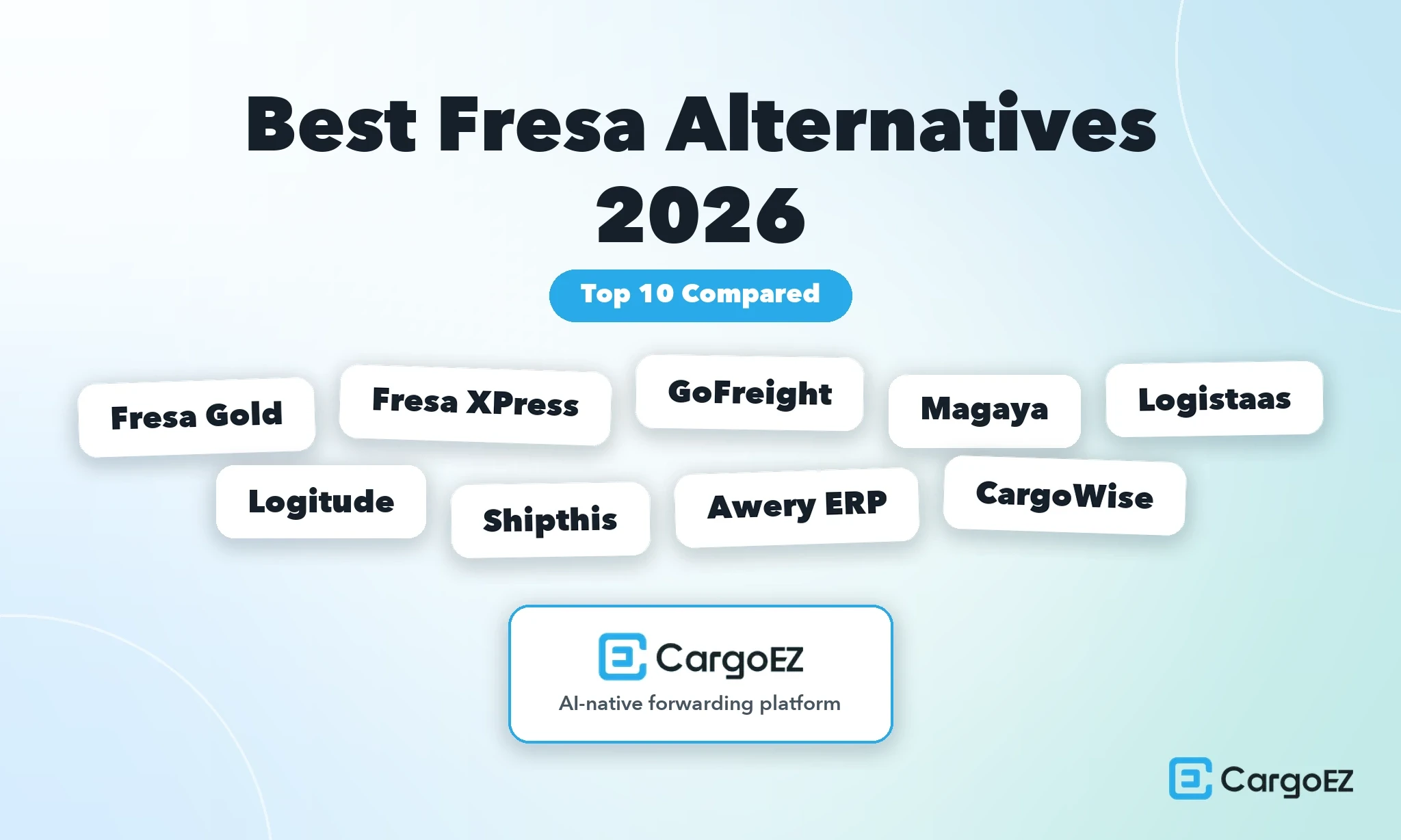
Comparing the top 10 best Fresa alternatives includes 1. CargoEZ, 2. Fresa Gold, 3. Fresa XPress, 4. GoFreight, 5. Magaya, 6. Logistaas, 7. Logitude World, 8. Shipthis, 9. Awery ERP and 10. CargoWise.
"Fresa" in this article means two products from Fresa Technologies: Fresa Gold and Fresa XPress. They are separate listings with separate review profiles and separate prices, and forwarders shopping for a replacement routinely conflate them. Fresa Gold is the fuller ERP, positioned as a cloud based, fully integrated freight forwarding software and ERP platform designed exclusively for small and medium sized freight forwarding companies. Fresa XPress is the lighter SME deployment. Both are real freight forwarding ERPs with genuine built in double entry accounting, and both are profiled fairly here as alternatives in their own right, because for a large number of forwarders the right answer is to stay on Fresa or to move between the two Fresa products.
One framing point before the tables. The single most repeated complaint in Fresa's review base is that you cannot edit a voucher after it has been posted. That is not a defect. That is how double entry accounting is supposed to work. A posted entry is part of an audit trail, and the correct remedy is a reversal and a re posting, not a silent edit. This article treats the posting lock as workflow friction, which it genuinely is for a two person accounts team, and not as an accounting weakness. Any vendor that sells you "you can just edit posted entries" is selling you an audit problem.
Fresa Alternatives at a Glance
Platform | Best for | Starting price | Free trial | Implementation | Rating |
CargoEZ | US small and midsize air and ocean forwarders that want US customs filing in the same platform as ops and finance | Custom quote, no public price | Not documented | Under one month (G2 average) | 4.8/5 (G2, 40 reviews) |
Fresa Gold | SME forwarders running air, sea and road across multiple branches | $60 per user per month (G2, provided by Fresa Gold) | Not documented | Not documented | 4.8/5 (G2, 206 reviews) |
Fresa XPress | SME forwarders who want a lighter Fresa deployment at a lower seat price | $40 per user per month plus a one time setup fee | Not documented | Not documented | 4.8/5 (Capterra, 164 reviews) |
GoFreight | US based air and ocean forwarders who want a modern operations interface | Not disclosed | Not documented | 4 to 8 weeks (vendor claim) | 4.8/5 (G2, 92 reviews) |
Magaya | Forwarders who need forwarding, customs, warehouse and accounting under one roof | Not disclosed | Not documented | Not documented (G2 ease of setup 8.2/10) | 4.4/5 (G2, 281 reviews) |
Logistaas | Small and mid forwarders who want native accounting at a low seat price with no per shipment fees | $45 per user per month (entry tier) | Not documented | One time implementation fee | 4.5/5 (Capterra, 33 reviews) |
Logitude World | Forwarders who want tiered SaaS with metered automation credits | $75 per user per month (Smart) | Not documented | Not documented | 4.6/5 (G2, 94 reviews) |
Shipthis | Forwarders and NVOCCs who want a modular core with transactional add ons | $89 per user per month (Standard) | 30 day free trial | Not documented | 4.8/5 (Capterra, 13 reviews) |
Awery ERP | Cargo airlines, GSAs and GSSAs, ground handlers and charter brokers | $250 per user per month | Not documented | Not documented | 4.6/5 (Capterra, 27 reviews) |
CargoWise | Large enterprise networks running a partner led rollout | All in one transaction fee per logistics job, no public dollar figures | Not documented | Not documented (G2 ease of setup 6.4/10) | 4.3/5 (G2, 35 reviews) |
Capability matrix
Platform | Modes | US customs filing (AMS/ISF) | Built in accounting ledger | Reporting customisation | Customer portal |
CargoEZ | Air and ocean. Road and door to door are V2.0 | AMS and ISF inside the Customs module (beta) | Native double entry ledger in the Finance module | Not documented | Not documented |
Fresa Gold | Air, sea, road, import, export, consolidation, deconsolidation, multimodal | Not documented | Integrated freight accounting including AR, AP, cash flow, job costing and shipment profitability | Not documented. Reviewers cite Limited Customization as the top con tag | Customer portals documented |
Fresa XPress | Air, sea and road, SME positioning | Not documented | Integrated freight accounting | Not documented. Reviewers describe report formats as limited | Not documented |
GoFreight | Air and ocean | Not documented | Present. Reviewers describe gaps in revision and reconciliation | Not documented | Not documented |
Magaya | Air and ocean | Customs is part of the same system. AMS and ISF specifics not documented | Yes, and it is a core part of the pitch | Not documented | Not documented |
Logistaas | Freight forwarding suite, modes not itemised in public sources | Reviewer cites a gap, naming AES filing specifically | Native accounting | Not documented | Not documented |
Logitude World | Freight forwarding, modes not itemised in public sources | Not documented | Present. Reviewers report missing accounting reports | Not documented. Reviewers report missing reports | Not documented |
Shipthis | Freight forwarding and NVOCC | Not documented. A reviewer states customs clearance tasks cannot be automated | Not documented | Not documented | Not documented |
Awery ERP | Aviation supply chain led, cargo sales and flight operations | Not documented | Finance module documented. Reviewers question usability and profit figures | Not documented | Not documented |
CargoWise | Global logistics platform, modes not itemised in the sources used here | Not documented | Not documented | Not documented | Not documented |
Every cell that reads "Not documented" means exactly that: the vendor does not publish it and no review profile checked for this article confirms it.
My Picks: Best Fresa Alternatives
CargoEZ is the pick for US small and midsize air and ocean forwarders who want AMS and ISF filing sitting on the same shipment record as operations and the ledger.
Fresa Gold is the pick if the product is working and the real problem is that nobody configured it properly. It is the baseline for a reason.
Fresa XPress is the pick if Fresa Gold is heavier and costlier than your file volume justifies, at $40 per user per month against $60.
GoFreight is the pick for US forwarders who want the most modern operations interface in this set and can live with accounting that reviewers say needs work.
Magaya is the pick when forwarding, customs, warehousing and accounting genuinely all have to live in one system.
Logistaas is the pick for the lowest genuine seat price with native accounting and an explicit no per shipment fee policy.
Logitude World is the pick if you want tiered SaaS pricing and can model the metered automation credits honestly.
Shipthis is the pick for forwarders and NVOCCs who want to start on a core and bolt on Track and Trace, Trade Messaging and eAWB as needed.
Awery ERP is the pick if you are closer to a cargo airline, GSA or ground handler than to an ocean led forwarder.
CargoWise is the pick for large enterprise networks with the budget and the partner relationship to absorb a long structured rollout.
The three domestic and fleet TMS platforms that show up in Fresa searches, PCS TMS, Freightview and AscendTMS, are covered further down in their own clearly labelled group. They are good products. They are the wrong shape for an air and ocean forwarder, and the honest version of this article says so rather than padding the top ten with them.
How I Evaluated These 10 Platforms
I used a six part framework I call The Forwarding ERP Replacement Test. It is built specifically for the situation you are in: you already have a working freight forwarding ERP, and a replacement has to beat an incumbent that your staff already knows, not beat a blank page.
1. Operations and document automation
Can the platform carry a shipment from quote to booking to house and master bill to arrival notice on a single record, without re keying? I looked for document capture and data extraction on the inbound side, and for automated document generation on the outbound side. The test is not whether a feature exists, it is whether an operator touches the same reference number once or four times.
2. Financial management and accounting
Does the platform carry a real double entry ledger, or does it carry an invoicing module that syncs to an external accounting package? This distinction matters more than any other line item in this comparison. A native ledger means job costing and shipment profitability are computed from the same records that produce your financial statements. A sync means you own a reconciliation problem forever. I also scored the correction workflow: how many steps it takes to reverse and re post an entry, which is the fair version of the "cannot edit after posting" complaint.
3. Customs compliance and electronic filing
For a US forwarder this means AMS and ISF specifically, filed from inside the platform, against the same shipment record. Filing through a separate broker portal is workable, and plenty of profitable forwarders do it, but it is a second system, a second login, a second place for a house bill number to be typed wrong, and a second bill.
4. Customer portal and tracking
Can your customer see their own shipment without emailing your operations desk? Portal quality is the cheapest way to reduce inbound status calls, and it is one of the places where Fresa Gold has documented strength.
5. Rate and quotation management
Can you store carrier rates, build a quote from them, and turn an accepted quote into a booking without retyping it? Spot rate procurement is a separate and harder problem, and very few platforms in this set genuinely solve it.
6. Cloud performance at volume
This is the criterion most buyers skip and most regret skipping. The question is not whether the platform is fast on a demo tenant with 40 shipments. It is whether a month end report across your busiest month returns in seconds or in minutes. Fresa's review base tells you exactly why this belongs in the framework.
Detailed Comparison
1. CargoEZ
Best for
US small and midsize air and ocean forwarders who want AMS and ISF filing, a native double entry ledger and daily operations on one shipment record and one login.
Rating | 4.8/5 (G2, 40 reviews) |
Starting price | Custom quote, no public price |
Free trial | Not documented |
Implementation | Under one month (G2 average) |
Modes | Air and ocean. Road and door to door are V2.0 |
Compliance | SOC 2, ISO 27001, GDPR |
CargoEZ is built around one idea, which is that a shipment should live in a single record rather than being passed between modules. The specifics:
Nine modules on one login. Contacts, Leads, Rates, Freight, Finance, Warehouse, Chat, Customs and Admin.
One shipment record. CRM, rate desk, operations, the ledger and customs all write to the same file, so a quote becomes a booking without a re-key.
Costs post where they accrue. The costs on the job are the costs the ledger posts, and the customs filing references the file the operator already has open.
A native double-entry ledger. Finance is the book of record, not a bridge to an accounting package, so there are no two sources of truth to reconcile.
US customs in the platform. The Customs module covers AMS and ISF and is currently in beta.
Deliberately narrow. Built for US air and ocean forwarders, not NVOCCs, enterprise global forwarders, trucking-only operations, parcel or warehousing-first businesses.
V2.0 work. Road and door-to-door movements, spot-rate procurement and direct ACE portal connectivity.
Implementation. Under one month on average per G2, the fastest documented figure in this comparison.
Security. SOC 2, ISO 27001, GDPR, TLS 1.2+ in transit and AES-256 at rest.
That architecture targets the problem that dominates the review evidence in this category, which is not missing features but data a person has to move between modules or between systems.
Pros
AMS and ISF filing inside the same platform as operations and the ledger, against the same shipment record
A genuine native double entry Finance module, not a sync to an external accounting package
Nine modules on one login, which removes the most common cause of re keyed reference numbers
Implementation averaging under one month according to G2, which is fast for a category where rollouts routinely run a quarter
SOC 2, ISO 27001 and GDPR compliance already in place, which shortens the security review for enterprise shippers
4.8/5 on G2, the joint highest rating in this comparison
Cons
Road freight and door to door are V2.0, not shipping today. Fresa covers road freight now, so if a meaningful share of your revenue is inland or door to door, Fresa Gold is the stronger platform on that axis today and this needs to be said plainly
Spot rate procurement is V2.0. The Rates module handles stored rates, not live spot market sourcing
Direct ACE portal integration is V2.0. The Customs module covers AMS and ISF today
The Customs module is in beta, which is the right thing to disclose and the right thing to pressure test on your own file types during the demo
No public pricing, so you cannot compare a seat price against Fresa's $60 or $40 without a sales conversation
40 reviews is a much smaller evidence base than Fresa Gold's 206
Read the full CargoEZ review
Snapshot. A freight forwarding platform for US small and midsize air and ocean forwarders, built as nine modules over a single shipment record, with a native double entry ledger and US customs filing in the same system.
Tool features. Contacts, Leads, Rates, Freight, Finance, Warehouse, Chat, Customs and Admin. The Finance module is a native double entry ledger. The Customs module is in beta and includes AMS and ISF. Security and privacy posture covers SOC 2, ISO 27001 and GDPR.
What it costs. Custom quote. CargoEZ does not publish a seat price, which is a genuine disadvantage against Fresa Gold at $60 per user per month and Fresa XPress at $40 per user per month plus setup, both of which let you model cost before you talk to anyone.
Best fit for. US small and midsize air and ocean forwarders who file AMS and ISF regularly, who want job costing computed from the same ledger that produces their financials, and who are feeling the report speed ceiling on their current system.
Not built for. NVOCCs, enterprise global networks, trucking only operations and parcel. Forwarders whose volume is road led will want a different fit until V2.0 ships road and door to door.
What users are saying
CargoEZ holds 4.8 out of 5 on G2 from 40 reviews, tied for the highest score in this comparison. That tie deserves its caveat stated up front: Fresa Gold holds the same 4.8 across 206 reviews, which is five times the sample. A 4.8 from 40 and a 4.8 from 206 are not the same evidentiary claim, and any buyer weighing these two should weight the larger sample accordingly. The G2 data also reports implementation averaging under one month, which is the metric most worth verifying against your own reference calls.
Our Verdict
CargoEZ earns the top spot for one narrow, defensible reason: it is the only platform here that puts AMS and ISF filing, a native double entry ledger and daily operations on the same shipment record for a US air and ocean forwarder. The gaps are real and dated. Road, door to door, spot rate procurement and direct ACE integration are all V2.0, and Fresa covers road today. If your freight is air and ocean and your compliance load is US, this is the strongest fit in the set.
2. Fresa Gold
Best for
SME forwarders running air, sea and road across multiple branches who want integrated freight accounting with job costing at a published seat price.
Rating | 4.8/5 (G2, 206 reviews). Capterra 5.0/5 from 2 reviews. SoftwareSuggest 4.9/5 from 602 reviews |
Rating distribution | 190 five star, 12 four star, 4 three star |
Starting price | $60 per user per month (G2, provided by Fresa Gold) |
Free trial | Not documented |
Modes | Air, sea, road, import, export, consolidation, deconsolidation, multimodal |
Languages | Arabic, English, Tamil, Vietnamese, Chinese |
Fresa Gold is the incumbent in this comparison and it deserves to be profiled on its merits rather than as a strawman. The specifics:
Built for the SME forwarder. It is described as a cloud based, fully integrated freight forwarding software and ERP platform designed exclusively for small and medium sized freight forwarding companies, and the review evidence supports that description.
A deep evidence base. A 4.8 average across 206 G2 reviews with 190 of them at five stars is a strong signal, and it is a materially larger evidence base than anything else in this set except CargoWise's Capterra history and Magaya's 281 G2 reviews.
Competitors get the accounting wrong. Fresa Gold carries integrated freight accounting covering invoicing, vendor billing, receipts, payments, AR, AP and cash flow, plus job costing and shipment profitability computed against the shipment. That is a complete forwarding finance stack, not an invoicing module. Anyone telling you Fresa's accounting is thin has not looked at it.
A full operational wrap. Around that core sit customer portals, API integrations, multi branch support, audit trails and role based security.
Genuinely broad mode coverage. Including road, which several platforms in this comparison do not cover at all.
The friction shows up in three places. The con tag distribution across those 206 reviews maps them precisely: Limited Customization leads at 13 mentions, followed by Missing Features at 12, Complex Usability at 10, Slow Speed at 9 and Slow Performance at 7.
Peak hour performance. G2's own product summary notes that some users report slow performance during peak times.
Pros
The broadest documented mode coverage in this comparison, including road, import, export, consolidation, deconsolidation and multimodal
Integrated freight accounting with job costing and shipment profitability, which is the correct architecture and is genuinely strong
Customer portals, API integrations, multi branch support, audit trails and role based security all documented
A published price of $60 per user per month, which is more transparency than Magaya, GoFreight or CargoWise offer
206 G2 reviews at 4.8, one of the deepest evidence bases in the category
Five language interface covering Arabic, English, Tamil, Vietnamese and Chinese, which is a real asset for multi region operations
Cons
Speed at volume is the most repeated complaint, specifically report generation and data entry during peak hours
Limited Customization is the highest con tag, and reporting flexibility is where that bites
The post and lock workflow on vouchers is correct accounting behaviour but the correction path frustrates small accounts teams
US customs filing is not documented, which for a US forwarder means AMS and ISF live in a separate system
The review base and language set skew to India, the Gulf and Southeast Asia, with GST reconciliation a recurring theme, which is a regional fit question for a US forwarder rather than a quality question
Complex Usability at 10 mentions suggests a learning curve that shows up in onboarding time
Read the full Fresa Gold review
Snapshot. A cloud based, fully integrated freight forwarding software and ERP platform designed exclusively for small and medium sized freight forwarding companies, with the deepest mode coverage in this comparison.
Tool features. Air, sea, road, import, export, consolidation, deconsolidation and multimodal. Integrated freight accounting covering invoicing, vendor billing, receipts, payments, AR, AP, cash flow, job costing and shipment profitability. Customer portals, API integrations, multi branch operation, audit trails and role based security. Interface languages: Arabic, English, Tamil, Vietnamese and Chinese.
What it costs. $60 per user per month, listed on G2 and provided by Fresa Gold.
Best fit for. Small and medium forwarders operating across multiple branches and multiple modes, particularly in India, the Gulf and Southeast Asia, where the regional compliance depth and the language coverage are direct assets.
Not built for. US forwarders whose primary daily compliance load is AMS and ISF, and high volume operations that need sub minute month end reporting, will want a different fit.
What users are saying
4.8 out of 5 on G2 from 206 reviews, with 190 five star, 12 four star and 4 three star ratings and a Capterra score of 5.0 from only 2 reviews. The con tags concentrate on customisation, missing features, usability and speed. Vaibhav S., a Manager at a mid market company who rated the product 5 out of 5, wrote: "Sometimes the system can be slow when handling large amounts of data or generating reports. Some processes also require multiple steps, which can take more time." Yogesh U. in Accounts wrote: "Sometimes the server becomes slow. During peak hours, this delay affects report generation and data entry." Shiju P. in Accounts described the finance workflow: "Lack of an edit option after posting. Once a transaction or entry is posted, we cannot make changes directly." Note that Shiju's complaint describes correct double entry behaviour. It is a workflow ask, not an accounting defect.
Our Verdict
Fresa Gold is a good product and the 206 review evidence base says so. Its accounting is complete, its mode coverage is the broadest here, and $60 per user per month is transparent. The case for leaving is narrow and specific: report speed at volume, limited reporting customisation, and no documented US customs filing. If none of those three are your bottleneck, the cheapest upgrade available is a proper reconfiguration of the system you already own.
3. Fresa XPress
Best for
SME forwarders who want the Fresa approach at a lower seat price and a lighter deployment footprint.
Rating | 4.8/5 (Capterra, 164 reviews). SourceForge 5.0/5 from 44 reviews |
Rating distribution | 140 five star, 17 four star, 7 three star, no one star or two star |
Sub scores | Ease of use 4.8, support 4.8, functionality 4.7, value for money 4.5 |
Starting price | $40 per user per month plus a one time setup fee |
Free trial | Not documented |
Positioning | SME freight forwarders |
Fresa XPress is the lighter of the two Fresa products and, for a lot of forwarders shopping this category, the more relevant comparison point. The specifics:
A third cheaper per seat. At $40 per user per month plus a one time setup fee it undercuts Fresa Gold by a third on seat cost.
An unusually clean review profile. 164 Capterra reviews with 140 at five stars and not a single one star or two star rating.
A pricing discrepancy to settle before you budget. Capterra, GetApp and SoftwareAdvice list Fresa XPress at "$40 flat rate", while SourceForge and SoftwareSuggest describe $40 per user per month.
Treat per user as correct. Two independent sources describing a per user model outweigh a single listing convention that is frequently mis keyed across those three sibling directories, so confirm it in writing before you sign. A $40 flat rate and a $40 per seat rate differ by an order of magnitude at fifteen users.
The sub scores tell a coherent story. Ease of use at 4.8 and support at 4.8 are excellent. Functionality at 4.7 is strong.
Value for money at 4.5 is the lowest of the four. Given the entry price, that suggests the setup fee and the scope of what is included are where expectations occasionally miss.
The complaint pattern mirrors Fresa Gold almost exactly. That makes sense given shared lineage: posting locks and report performance.
Pros
$40 per user per month is among the lowest seat prices in this comparison, below Logistaas entry, Logitude Smart, Shipthis Standard and Fresa Gold
A clean 164 review Capterra profile with no one star or two star ratings at all
Ease of use at 4.8 and support at 4.8 are the strongest usability and service sub scores in this set
Built for the SME forwarder specifically, which means less enterprise scaffolding to configure around
Shares Fresa Technologies' accounting architecture, so the ledger discipline carries over
Cons
Report flexibility is the single most cited limitation, with reviewers describing formats as limited
Report generation over large record sets is slow, which is the same volume ceiling Fresa Gold reviewers describe
The posting lock applies here too, and again the reviewers raising it are accountants describing workflow friction rather than a broken ledger
Value for money at 4.5 is the weakest sub score, and the one time setup fee is not published
The per user versus flat rate listing conflict means you cannot trust the directory price without written confirmation
US customs filing is not documented
Read the full Fresa XPress review
Snapshot. The lighter Fresa Technologies product, positioned for SME freight forwarders, at roughly two thirds the seat price of Fresa Gold.
Tool features. Freight forwarding operations with Fresa Technologies' integrated accounting approach, sold as an SME deployment.
What it costs. $40 per user per month plus a one time setup fee, per SourceForge and SoftwareSuggest. Capterra, GetApp and SoftwareAdvice list it as "$40 flat rate", which conflicts with those two per user sources. Confirm the model in writing.
Best fit for. Small forwarders who want Fresa's operational model and ledger discipline without Fresa Gold's footprint or price.
Not built for. Forwarders whose reporting requirements are bespoke, and high volume operations running heavy month end exports, will want a different fit.
What users are saying
4.8 out of 5 on Capterra from 164 reviews, with 140 five star, 17 four star and 7 three star ratings and no ratings below three stars. SourceForge shows 5.0 from 44 reviews. On the finance workflow, Sameer S., a Finance Manager, cited "Limited flexibility for editing posted transactions", and Pravil P., an Accountant, wrote: "No option to edit or modify once entry is posted." On performance, Siva S., a Manager, wrote: "System may become slow when handling large volumes of data, especially in reports", and Suruchi S. in Accounts noted that "Reports with extensive records can take longer to generate and export." On reporting, Sujatha S., a Director, wrote: "Report formats are limited; more customization needed", and Riyad R., an Accountant, summarised it as "Advanced reporting options limited; occasional speed issues."
Our Verdict
Fresa XPress is the best value entry point in this comparison on seat price, and its 164 review profile with no ratings below three stars is genuinely impressive. It inherits both Fresa strengths and both Fresa frictions: solid ledger discipline, limited reporting customisation and slow exports at volume. If you are on Fresa Gold and struggling with cost rather than capability, XPress is worth a serious look before you leave the family entirely.
4. GoFreight
Best for
US based air and ocean forwarders who want the most modern operations interface in this comparison.
Rating | |
Starting price | Not disclosed |
Free trial | Not documented |
Implementation | 4 to 8 weeks, a vendor claim |
Modes | Air and ocean |
GoFreight is the closest thing in this set to a direct like for like swap for a US forwarder leaving Fresa. The specifics:
Top tier sentiment. Its 4.8 across 92 G2 reviews puts it at the top of the range in this comparison.
The second profile is stale. Its Capterra profile shows 4.6 from 25 reviews, but those reviews date from 2019 and 2020 and should not be read as current sentiment. Weight the G2 profile.
The implementation figure is a vendor claim. The 4 to 8 week number comes from GoFreight rather than from an independent survey, so hold it to reference calls. Vendor implementation estimates in this category are systematically optimistic, and the gap between the claim and reality is usually data migration rather than configuration.
The honest weak spot is the same one Fresa has, from the opposite direction. Where Fresa reviewers say the ledger is strict, GoFreight reviewers say the accounting is not deep enough to be the only accounting they run.
A request for depth, not a report of a broken module. frank f. wrote that they "need more account function...don't need another accounting software running", which is a request for GoFreight to be the sole financial system rather than a complaint that it is broken.
Revision and reconciliation friction. edward l. was more specific: the "accounting function does not allow to revise and reconcile invoices with ease."
That pairing is instructive. If your reason for leaving Fresa is the posting lock, GoFreight may not solve it in the way you expect, because reviewers there report friction in revision and reconciliation too.
Pros
4.8 across 92 G2 reviews, tied for the highest rating in this comparison on a solid sample
Built for the US forwarding market, which shortens the gap between the product's assumptions and your daily compliance load
A vendor claimed 4 to 8 week implementation, which is fast for the category if it holds
Clean air and ocean focus rather than a broad multi mode platform you configure around
Cons
Pricing is not disclosed, so you cannot benchmark against Fresa's published $60 or $40 without a sales call
Reviewers describe the accounting function as needing more depth, with frank f. saying they do not want another accounting package running alongside it
Invoice revision and reconciliation are called out as difficult by edward l., which is the same category of complaint Fresa gets
The Capterra profile is stale, dating from 2019 and 2020, so cross platform sentiment comparison is unreliable
The 4 to 8 week implementation number is a vendor claim, not an independently measured average
US customs filing capability is not documented in the sources used for this comparison
Read the full GoFreight review
Snapshot. A US focused air and ocean forwarding platform with the joint highest G2 rating in this comparison and a strong reputation for interface quality.
Tool features. Air and ocean forwarding operations with an accounting function that reviewers describe as present but not deep enough to stand alone.
What it costs. Not disclosed publicly.
Best fit for. US forwarders whose primary pain with Fresa is interface friction and operational speed rather than accounting depth, and who already run a separate accounting package they are happy with.
Not built for. Forwarders who want one system to be the single financial system of record will want a different fit, based on what reviewers report today.
What users are saying
4.8 out of 5 on G2 from 92 reviews. The Capterra profile shows 4.6 from 25 reviews, but those date from 2019 and 2020 and do not represent current sentiment. The recurring critical theme is accounting depth. frank f. wrote that they "need more account function...don't need another accounting software running." edward l. wrote that the "accounting function does not allow to revise and reconcile invoices with ease."
Our Verdict
GoFreight is the strongest pure operations alternative here for a US forwarder, and the G2 evidence is solid at 92 reviews. The caution is specific: if you are leaving Fresa because of finance workflow, reviewers report revision and reconciliation friction here too, and at least one wants the accounting to be deep enough to retire their separate package. Demo the finance module hard before you assume it solves your problem.
5. Magaya
Best for
Forwarders who genuinely need forwarding, customs, warehousing and accounting under one roof.
Rating | |
Starting price | Not disclosed |
Free trial | Not documented |
Ease of setup | 8.2/10 (G2) |
Scope | Forwarding, customs, warehouse and accounting in one system |
Magaya is the scope play in this comparison. The specifics:
The largest review base here. 281 G2 reviews, and a consistent 4.4 across both G2 and Capterra. That consistency across two independent platforms is a better reliability signal than a single high score on a thin sample.
The core strength is scope. Magaya combines forwarding, customs, warehouse and accounting in one system, which is a materially wider footprint than most of this set and a direct answer to the "how many systems am I running" question that drives Fresa replacements.
Second best ease of setup. Its G2 ease of setup score of 8.2 out of 10 is the second best in this comparison and considerably better than CargoWise.
The critical pattern splits into two problems that should not be conflated, and the first is commercial. George G. wrote that "implementation is a very lengthy process with multiple charges and fees." That is a scoping and contracting issue: fix it by getting implementation scope and every associated fee in writing before signing, not by assuming the base price is the price.
The second is technical and specific. Jakub L. described "constant sync failures, missing transactions, duplicate records, accounting discrepancies" in relation to the QuickBooks integration.
Read that second one carefully. It is a complaint about a bridge to an external accounting package, which is exactly the failure mode that native ledgers exist to avoid. If you go with Magaya, the right question is whether to use its own accounting as the system of record rather than syncing to QuickBooks at all.
Pros
The widest documented scope in this set, covering forwarding, customs, warehouse and accounting in one platform
281 G2 reviews and 51 Capterra reviews with a consistent 4.4 on both, which is a robust and cross validated evidence base
G2 ease of setup at 8.2 out of 10, the second strongest in this comparison
Accounting is a core part of the platform rather than an afterthought, which is directly relevant if you are leaving Fresa for scope reasons
Customs sits in the same system, which addresses one of the two structural gaps in a Fresa deployment for a US forwarder
Cons
Pricing is not disclosed, and George G. reports that "implementation is a very lengthy process with multiple charges and fees", so budget for scope creep
The QuickBooks integration draws pointed criticism from Jakub L., who cites "constant sync failures, missing transactions, duplicate records, accounting discrepancies"
4.4 is the second lowest rating in this comparison, ahead of CargoWise only
AMS and ISF specifics are not documented in the sources used here, so confirm exactly which US filings are supported natively
The breadth of the platform means more to configure, which interacts badly with a lengthy implementation
Read the full Magaya review
Snapshot. The broadest scope platform in this comparison, combining forwarding, customs, warehousing and accounting, with the largest review base here at 281 G2 reviews.
Tool features. Freight forwarding operations, customs, warehouse management and accounting in a single system, plus a QuickBooks integration for forwarders who prefer to keep their books externally.
What it costs. Not disclosed publicly. Reviewers report implementation charges and fees beyond the headline.
Best fit for. Forwarders with genuine warehousing requirements alongside air and ocean forwarding, who want to collapse three systems into one and have the patience for a structured rollout.
Not built for. Forwarders who want to be live in a month on a fixed, fully scoped fee will want a different fit.
What users are saying
4.4 out of 5 on G2 from 281 reviews and 4.4 on Capterra from 51 reviews, with a G2 ease of setup score of 8.2 out of 10. George G. wrote that "implementation is a very lengthy process with multiple charges and fees." Jakub L., writing about the QuickBooks integration, reported "constant sync failures, missing transactions, duplicate records, accounting discrepancies." The second quote is a strong argument for using a native ledger as the system of record rather than syncing to an external package.
Our Verdict
Magaya is the right answer when your Fresa problem is scope rather than speed. Forwarding, customs, warehousing and accounting in one system is a real consolidation, and 281 reviews at 4.4 with matching Capterra sentiment is a dependable signal. Two things to nail down in contracting: the full implementation fee schedule, and whether you will run Magaya's own accounting rather than the QuickBooks bridge reviewers criticise.
6. Logistaas
Best for
Small and mid forwarders who want native accounting at a low seat price with an explicit no per shipment fee policy.
Rating | 4.5/5 (Capterra, 33 reviews) |
Starting price | $45 per user per month, rising to $65 and $85 by tier |
Additional cost | One time implementation fee |
Transaction fees | None. Explicitly no transaction or per shipment fees |
Free trial | Not documented |
Logistaas is a genuine small and mid market forwarding suite with native accounting, and its pricing model is the most legible in this comparison. The specifics:
Three published tiers. $45, $65 and $85 per user per month, plus one implementation fee.
No metering. A stated policy of no transaction or per shipment fees. For a forwarder who has been burned by a platform that meters activity, that point is worth real money and real peace of mind.
A direct commercial comparison, not a category jump. At $45 entry it sits between Fresa XPress at $40 and Fresa Gold at $60.
Two documented limitations, both about scope rather than quality, and the first is decisive for a US forwarder. Kim D., a Commercial Manager, noted that Logistaas lacks "certain things that a US software can do like file AES information." That is a candid assessment from a user about a platform built outside the US regulatory perimeter. If your compliance load is US filings, this is the same structural gap Fresa has.
No warehouse management. Jefferson I., Head of Finance, noted the second limitation: "it doesn't include a warehouse management system", which matters only if you warehouse.
Pros
The clearest pricing in this comparison: $45, $65 and $85 per user per month by tier, published and comparable
Explicitly no transaction or per shipment fees, so your bill does not scale with a busy month
Native accounting rather than a sync to an external package
Genuine small and mid market forwarding focus, so less enterprise overhead to configure around
4.5 on Capterra from 33 reviews, a respectable and credible sample for a platform this size
Cons
US filings are a documented gap, with Kim D. naming AES specifically, which is the same structural issue that drives US forwarders off Fresa
No warehouse management, confirmed by Jefferson I., which rules it out if you handle cargo
A one time implementation fee sits on top of the seat price and is not published
33 reviews is a modest evidence base next to Fresa Gold's 206 or Magaya's 281
Only one review platform with meaningful volume, so there is no cross platform validation of the 4.5
Read the full Logistaas review
Snapshot. A small and mid market freight forwarding suite with native accounting and the most transparent pricing model in this comparison.
Tool features. Freight forwarding operations with a native accounting ledger. No warehouse management system.
What it costs. $45, $65 and $85 per user per month across three tiers, plus a one time implementation fee. Explicitly no transaction or per shipment fees.
Best fit for. Small and mid forwarders outside the US regulatory perimeter, or US forwarders who already have customs filing handled through a broker relationship they are happy with, and who want predictable, non metered pricing.
Not built for. Forwarders who need US electronic filings inside the platform, or who handle and store cargo, will want a different fit.
What users are saying
4.5 out of 5 on Capterra from 33 reviews. Kim D., a Commercial Manager, identified the US gap directly: Logistaas lacks "certain things that a US software can do like file AES information." Jefferson I., Head of Finance, noted that "it doesn't include a warehouse management system."
Our Verdict
Logistaas has the cleanest commercial proposition in this comparison. Published tiers, native accounting, and a written commitment to no per shipment fees is exactly what a forwarder who has been metered before wants to hear. The disqualifier for a US buyer is explicit and comes from a user, not from us: US electronic filing is a gap. If you file AES, AMS or ISF regularly, this is a lateral move from Fresa on your most important axis.
7. Logitude World
Best for
Forwarders who want tiered SaaS pricing and are willing to model metered automation credits carefully.
Rating | |
Starting price | Smart $75 per user per month, Professional $99 per user per month |
Enterprise | Contact sales, 30 or more users |
Automation credits | 1,000 / 2,000 / 5,000 per user by tier, extra credits at $1 per 1,000 |
Free trial | Not documented |
Logitude World has the second best cross platform validation in this set. The specifics:
Two independent samples that agree. 4.6 from 94 G2 reviews and 4.5 from 40 Capterra reviews, landing within a tenth of each other, which is a more trustworthy signal than a single high score.
Understand the pricing model before anything else. Smart is $75 per user per month with 1,000 automation credits per user. Professional is $99 per user per month with 2,000 credits. Enterprise is contact sales for 30 or more users with 5,000 credits per user. Overage runs $1 per additional 1,000 credits.
Not a trap, but a forecasting exercise. Before you sign, work out roughly how many automated actions a single shipment consumes and multiply by your busiest month. A credit model that is comfortable at 200 files a month can behave differently at 600. Ask the vendor for a credit consumption breakdown by document type and do the arithmetic yourself.
Missing accounting reports, which matters here specifically. One reviewer noted that "Multiple Accounting reports are missing", which lands directly on the reporting flexibility problem you are trying to solve.
API cost. Another wrote that "API are bit expensive", which compounds the metered pricing question if integration is part of your plan.
Pros
4.6 on G2 from 94 reviews and 4.5 on Capterra from 40 reviews, close agreement across two independent platforms
Published, tiered pricing with a clear ladder from Smart to Professional to Enterprise
Automation credits are explicit and quantified rather than hidden in a fair use policy
Overage pricing at $1 per 1,000 credits is published, which is unusual transparency for a metered model
A clear enterprise step at 30 or more users so growth has a defined path
Cons
Missing accounting reports are documented by reviewers, which is the exact friction driving people off Fresa
Metered automation credits mean your bill can move with volume, which requires forecasting before you sign
API costs draw specific criticism, with one reviewer describing them as "a bit expensive"
At $75 entry it is the third most expensive starting point in this comparison, above both Fresa products
US customs filing is not documented
Read the full Logitude World review
Snapshot. A tiered SaaS freight forwarding platform with explicit, quantified automation credit allowances and consistent ratings across two review platforms.
Tool features. Freight forwarding operations with metered automation. Accounting is present, with reviewers reporting missing reports. API integration available at a cost reviewers describe as high.
What it costs. Smart $75 per user per month with 1,000 automation credits per user. Professional $99 per user per month with 2,000 credits. Enterprise is contact sales for 30 or more users with 5,000 credits. Additional credits at $1 per 1,000.
Best fit for. Mid sized forwarders with predictable monthly volumes who want a published price ladder and are comfortable modelling credit consumption.
Not built for. Forwarders whose main complaint about their current system is missing accounting reports will want a different fit, since reviewers report the same issue here.
What users are saying
4.6 out of 5 on G2 from 94 reviews and 4.5 out of 5 on Capterra from 40 reviews. Reviewers report that "Multiple Accounting reports are missing" and that "API are bit expensive."
Our Verdict
Logitude World has solid cross platform ratings and one of the more transparent metered pricing models in the category. The problem for this specific audience is fit with intent. If you are leaving Fresa over reporting limitations, reviewers here report missing accounting reports too, and you would be paying $75 per seat to arrive at a similar constraint. Strong platform, wrong solution to this particular problem.
8. Shipthis
Best for
Forwarders and NVOCCs who want a modular core plus transactional add ons and a real free trial.
Rating | |
Starting price | $89 per user per month (Standard) |
Add ons | Track and Trace, Trade Messaging and eAWB, billed on a transactional basis |
Free trial | 30 days |
Serves | Freight forwarders and NVOCCs |
Shipthis is the modular option here, and the trial is its strongest evaluation feature:
A real free trial. One of only two platforms in this comparison with a documented trial, and at 30 days it is long enough to run live files through it rather than click around a demo tenant. For a forwarder replacing a system they already depend on, that is a meaningful risk reducer.
The commercial structure. A Standard plan at $89 per user per month, plus three add ons, Track and Trace, Trade Messaging and eAWB, billed on a transactional basis.
Model the transactional layer first. As with Logitude, a per transaction add on that looks trivial per shipment is not trivial across a year.
The evidence base is the honest weak point. 13 Capterra reviews and a single G2 review is thin. A 4.8 from 13 reviews and a 4.8 from 164 reviews are not equivalent claims, so compensate with more reference calls than you would ordinarily run.
The documented limitation. Azfar Q., a CFO, wrote that Shipthis "Doesn't have Warehouse & Inventory management. Cannot automate custom clearance tasks." The second half of that quote is the relevant one for a Fresa replacement driven by US compliance.
Pros
A 30 day free trial, one of only two in this comparison, which lets you validate on your own files before committing
Serves both freight forwarders and NVOCCs, which is broader intake than most of this set
Modular structure with Track and Trace, Trade Messaging and eAWB available as add ons rather than bundled into the base price
4.8 on Capterra, at the top of the rating range in this comparison
Cons
13 Capterra reviews and 1 G2 review is the thinnest evidence base in the top ten
$89 per user per month is the second highest starting price here, above both Fresa products by a wide margin
Add ons are billed on a transactional basis, so the effective cost per seat is not the list price
No warehouse or inventory management, per Azfar Q.
Customs clearance tasks cannot be automated, per Azfar Q., which is directly relevant if US compliance is your reason for switching
Read the full Shipthis review
Snapshot. A modular freight forwarding platform serving forwarders and NVOCCs, with a genuine 30 day trial and a transactional add on model.
Tool features. Standard plan covering core forwarding operations, with Track and Trace, Trade Messaging and eAWB available as transactionally billed add ons. No warehouse or inventory management.
What it costs. $89 per user per month for Standard, plus transactional billing for the three add ons. 30 day free trial.
Best fit for. Forwarders and NVOCCs who want to validate a platform on live files before committing, and who want to pay for advanced messaging only as they use it.
Not built for. Forwarders who need customs clearance workflows automated in platform, or who handle and store cargo, will want a different fit.
What users are saying
4.8 out of 5 on Capterra from 13 reviews and 5.0 on G2 from a single review, so the sample is small and should be supplemented with reference calls. Azfar Q., a CFO, identified the two scope gaps: Shipthis "Doesn't have Warehouse & Inventory management. Cannot automate custom clearance tasks."
Our Verdict
Shipthis earns real credit for the 30 day trial, which is the single best way to de risk a forwarding ERP decision and almost nobody in this category offers it. Two things hold it back for this audience. The 13 review sample is too thin to lean on, and a CFO reviewer states plainly that customs clearance tasks cannot be automated. Use the trial to test that claim yourself before ruling it in or out.
9. Awery ERP
Best for
Cargo airlines, GSAs and GSSAs, ground handlers and charter brokers rather than ocean led forwarders.
Rating | 4.6/5 (Capterra, 27 reviews) |
Starting price | $250 per user per month |
Lowest sub score | Value for money 4.4 |
Built for | The aviation supply chain |
Scope | Cargo sales, flight operations, crew scheduling, fleet, warehouse, finance, HR |
Awery needs an honest framing rather than a ranking based one, because it is in a different business:
Why it appears here. It turns up in the same searches as the forwarding platforms, so it earns a place and a straight explanation.
What it actually is. Purpose built for the aviation supply chain, covering cargo sales, flight operations, crew scheduling, fleet management, warehousing, finance and HR.
Its natural buyers. Cargo airlines, GSAs and GSSAs, ground handlers and charter brokers.
Why that matters if you run ocean. Most of that footprint is capability you will never switch on. Crew scheduling and flight operations are not adjacent to your problem, they are a different business.
The price. At $250 per user per month it is by a wide margin the most expensive platform in this comparison, more than four times Fresa Gold's $60 and more than six times Fresa XPress's $40. That makes sense for an operation running aircraft, and not for a ten person ocean forwarder in New Jersey.
The documented complaints. Shane G., a General Manager, wrote: "So visually it looks a bit daunting, really needs to be streamlined." Beáta L., a Regional Sales Manager, raised a more serious flag about finance: "Finance modul is not user friendly. Profit datas are somehow incorrect."
The telling sub score. Value for money at 4.4 is Awery's lowest, which given the seat price is an unsurprising result.
Pros
Genuine depth for the aviation supply chain, covering cargo sales, flight operations, crew scheduling, fleet, warehouse, finance and HR
4.6 on Capterra from 27 reviews, a solid rating for a specialised platform
The right answer, and a strong one, if you are a cargo airline, GSA, GSSA, ground handler or charter broker
Single platform coverage across operational areas that would otherwise require three or four systems in an aviation business
Cons
$250 per user per month is by far the highest price in this comparison, over four times Fresa Gold
Value for money at 4.4 is its lowest sub score, and reviewers appear to feel the price
Shane G., a General Manager, describes the interface as "a bit daunting, really needs to be streamlined"
Beáta L. raises a direct concern about the finance module, saying it "is not user friendly" and that "Profit datas are somehow incorrect"
The aviation orientation means most of the footprint is irrelevant to an ocean led forwarder
27 reviews is a modest evidence base for a decision at this price point
Read the full Awery ERP review
Snapshot. An aviation supply chain ERP whose natural buyers are cargo airlines, GSAs and GSSAs, ground handlers and charter brokers, priced well above the rest of this comparison.
Tool features. Cargo sales, flight operations, crew scheduling, fleet management, warehousing, finance and HR.
What it costs. $250 per user per month.
Best fit for. Aviation businesses that need cargo commercial and flight operational systems in one place and have the scale to justify the seat price.
Not built for. Ocean led small and midsize forwarders will want a different fit, both on scope and on cost.
What users are saying
4.6 out of 5 on Capterra from 27 reviews, with value for money at 4.4 as the lowest sub score. Shane G., a General Manager, wrote: "So visually it looks a bit daunting, really needs to be streamlined." Beáta L., a Regional Sales Manager, wrote: "Finance modul is not user friendly. Profit datas are somehow incorrect."
Our Verdict
Awery is a serious aviation platform and belongs on a cargo airline or GSA shortlist. It does not belong on a Fresa replacement shortlist for an ocean led forwarder, and including it without saying so would be misleading. At $250 per user per month with a value for money score of 4.4 and a reviewer questioning profit figures in the finance module, the scope mismatch and the cost both point the same way.
10. CargoWise
Best for
Large enterprise logistics networks running a certified partner led rollout.
Rating | 4.3/5 (G2, 35 reviews). Capterra 2.9/5 from 32 reviews, with no reviews after May 2022 |
Ease of setup | 6.4/10 (G2), the lowest in this comparison |
Pricing model | Value Packs from 1 December 2025, an all in one transaction fee per logistics job |
Public pricing | No dollar figures published |
Delivery model | Certified Service Partners |
CargoWise gets compressed treatment because the publicly verifiable data is thin relative to its market position, not because it is a small product. Three facts matter:
The pricing model changed. From 1 December 2025 CargoWise moved to Value Packs, under which, in the company's words, "there are no longer any CargoWise Cloud standard hosting costs or seat fees", replaced by "an all in one transaction fee per logistics job."
No public dollar figures accompany that change. You cannot model it without a conversation, and the shift from seats to transactions is a genuinely different budgeting exercise for a growing forwarder.
Rollout runs through certified Service Partners rather than through the vendor directly. That brings real implementation expertise, and it adds a third party to your contract, your timeline and your escalation path. The G2 ease of setup score of 6.4 out of 10 is the lowest in this comparison and, unlike a guessed timeline, it is a measured number from actual buyers.
The review picture is split and one half is stale. G2 shows 4.3 from 35 reviews. Capterra shows 2.9 from 32 reviews with nothing posted after May 2022, so that score describes a product and a delivery model that are both nearly four years old. Date stamp it before you weight it.
Our verdict: CargoWise is an enterprise network platform, and the December 2025 move to per job transaction pricing with no published figures makes it harder, not easier, for a small or midsize forwarder to evaluate. The [G2](https://www.g2.com/products/wisetech-global-cargowise/reviews) ease of setup score of 6.4 out of 10 is the lowest here and comes from buyers rather than from marketing. If you run a multi country network with a partner relationship already in place, it belongs on your list. If you are a fifteen person forwarder leaving Fresa over report speed, you will want a different fit.
Domestic and fleet TMS platforms: PCS TMS, Freightview and AscendTMS
These three platforms turn up constantly in freight software searches and they are frequently padded into comparison lists to reach ten entries. That would be dishonest here, so they get their own clearly labelled group with an explicit explanation.
All three are built for domestic trucking and shipper side freight management. They are not international forwarding ERPs. They do not carry house and master bill structures, consolidation and deconsolidation, air waybills, ocean bills of lading, or the accounting shape a forwarder needs to compute job profitability on a multi leg international file. If you are running air and ocean, a domestic TMS is the wrong shape for your business, no matter how good its ratings are.
Platform | Rating | Pricing | What it actually does |
PCS TMS | G2 4.4/5 from 7 reviews. Capterra 4.2/5 from 248 reviews | Not disclosed. Minimum 3 users | Asset based trucking operations |
Freightview | G2 4.7/5 from 195 reviews. Capterra 4.7/5 from 743 reviews | $149 per month for 0 to 50 shipments. 14 day free trial | Shipper side LTL rate shopping |
AscendTMS | G2 4.4/5 from 9 reviews. Capterra 4.9/5 from 367 reviews | Contradictory across its own sources. See note below | Transportation management |
A note on AscendTMS pricing, because it is genuinely confusing and you should hear it neutrally rather than as a criticism. AscendTMS's homepage states that plans start at $0. Its own pricing page lists Basic at $69, Premium at $119 and Pro at $149 per user per month. Capterra lists Basic as free and Premium at $99. Those three sources do not agree with each other, and two of them are AscendTMS's own. Do not assume AscendTMS is free, and do not assume it is $69 either. Get a written quote for the specific tier and seat count you need.
Freightview deserves a specific clarification because its ratings are excellent and its review volume is the largest of anything mentioned in this article. 4.7 on G2 from 195 reviews and 4.7 on Capterra from 743 reviews is outstanding. It is also a shipper side LTL rate shopping tool priced at $149 per month for 0 to 50 shipments, with a 14 day free trial. It is very good at what it does. What it does is not international freight forwarding.
Our verdict on the group: PCS TMS, Freightview and AscendTMS are competent products with real users and, in Freightview's case, exceptional ratings. None of them is a Fresa alternative for an air and ocean forwarder, because none of them is built around an international forwarding file. If you also run a domestic trucking arm, one of them may make sense as a second system alongside your forwarding ERP. As a replacement for Fresa, all three are the wrong shape and any list that ranks them as alternatives is padding.
What a Fresa Alternative Actually Needs to Fix
Forwarders do not leave Fresa because Fresa cannot run a shipment. Fresa runs shipments, and the review volume backs that up: 206 G2 reviews for Fresa Gold with 190 of them at five stars, and 164 Capterra reviews for Fresa XPress with no one star and no two star ratings at all. That is a product people use and rate well.
Forwarders leave for four specific reasons, and a replacement that does not fix at least two of them is a lateral move.
Speed at volume. This is the most consistent signal in the review base, and it is consistent across both Fresa products. G2's own summary of Fresa Gold notes that some users report slow performance during peak times. The con tags across those 206 reviews run Limited Customization (13), Missing Features (12), Complex Usability (10), Slow Speed (9) and Slow Performance (7). Vaibhav S., a Manager at a mid market company who still rated the product 5 out of 5, wrote: "Sometimes the system can be slow when handling large amounts of data or generating reports. Some processes also require multiple steps, which can take more time." Yogesh U. in Accounts described the same pattern: "Sometimes the server becomes slow. During peak hours, this delay affects report generation and data entry." On the XPress side, Siva S., a Manager, wrote: "System may become slow when handling large volumes of data, especially in reports." If your file count has doubled since you bought the system, this is the reason you are reading this article.
Reporting flexibility. This is the second cluster, and it is where the complaint is about the product rather than about accounting principle. Sujatha S., a Director, put it plainly about Fresa XPress: "Report formats are limited; more customization needed." Riyad R., an Accountant, wrote: "Advanced reporting options limited; occasional speed issues." Suruchi S. in Accounts noted that "Reports with extensive records can take longer to generate and export." When Limited Customization is the single highest con tag on a 206 review profile, that is a durable pattern, not a one off.
The posting lock as a workflow problem. Shiju P. in Accounts described it for Fresa Gold: "Lack of an edit option after posting. Once a transaction or entry is posted, we cannot make changes directly." Sameer S., a Finance Manager, described it for XPress as "Limited flexibility for editing posted transactions", and Pravil P., an Accountant, as "No option to edit or modify once entry is posted."
Read those quotes carefully and you will notice something. They are all from accounting professionals, and none of them say the ledger is wrong. They say correcting a mistake takes more steps than they want. That is a fair complaint about workflow ergonomics and an unfair complaint about accounting design. A system that locks posted entries is doing its job. The reasonable ask of a replacement is not "let me edit posted entries", it is "make the reversal and re posting flow fast, obvious and two clicks deep, with the correcting entry visible next to the original." That is a real product difference and it is worth testing.
US customs in the same platform. This is the cleanest structural gap for a US forwarder. Fresa's documented mode coverage is broad, including air, sea, road, import, export, consolidation, deconsolidation and multimodal, and its language support spans Arabic, English, Tamil, Vietnamese and Chinese. Its review base skews heavily to India, the Gulf and Southeast Asia, with GST reconciliation appearing repeatedly in reviewer commentary.
That is a statement about regional fit, not about quality. A platform built to be excellent at GST reconciliation across Indian and Gulf branches is a genuinely excellent platform. It is simply optimised for a compliance regime that a Houston or Newark forwarder does not operate in. If your daily compliance load is AMS and ISF rather than GST, you are paying for depth you do not use and filing through a separate system you do.
How to Choose a Fresa Alternative
Generic software buying advice will not help you here. These are the five tests that actually discriminate between the platforms above, and every one of them is something you can do during a demo.
1. Run your busiest month through a report and time it with a stopwatch
Do not accept a demo tenant with 40 shipments. Ask the vendor to load a data set at your real peak volume, then run a shipment profitability report across the full month while you time it. Seconds is fine. A minute is a warning. Several minutes is the exact ceiling that Fresa reviewers describe, and you will have paid to migrate into the same problem. This single test does more to separate these platforms than any feature grid.
2. Post a voucher, then correct it the way your accountant actually would
Ask the vendor to post a transaction and then introduce a realistic error: a wrong amount, a wrong cost centre, a charge on the wrong job. Then watch them fix it while you count the clicks.
What you are looking for is not the ability to edit a posted entry. Any platform that offers that has an audit problem you do not want. What you want is a reversal and re posting flow that is fast, obvious, and leaves the correcting entry visible next to the original. Have your bookkeeper in the room for this one, not your operations manager.
3. File an AMS and an ISF on a real house bill in front of you
If you are a US forwarder, this is the test that reorders the whole shortlist. Ask to see an AMS transmission and an ISF filing initiated from a shipment record you can see on screen, with the response coming back onto the same record.
Watch specifically for how many times a reference number gets typed. If the answer is "we hand off to your broker portal", that is a legitimate way to operate and it is also a second system, a second login and a second bill. Price it honestly as part of the total cost of the platform.
4. Build one report the vendor has never seen before
Bring a report your current system cannot produce. Profit by trade lane by salesperson. Aged receivables by customer by branch with a currency split. Container count by carrier by month against budget. Anything real from your management pack.
Ask them to build it live. If the answer involves a services engagement and a quote, you have learned that reporting customisation is gated, which is exactly the constraint Fresa reviewers describe when they say formats are limited.
5. Price the platform at next year's headcount, not this year's
Every per seat platform in this comparison looks affordable at five users. Model each one at your projected headcount in 18 months, and add the metered layers: Logitude's automation credit overage at $1 per 1,000, Shipthis's transactional add ons, CargoWise's per job transaction fee, and Fresa XPress's one time setup fee.
Then compare that total against Fresa Gold's $60 per user per month and Fresa XPress's $40. A meaningful number of forwarders who run this arithmetic honestly conclude that their current platform is not the expensive part of their problem.
Forwarding ERP Migration Mistakes That Cost Money
Migrating open files mid quarter. Open shipments carry accruals, and accruals carry into a period close. Cut over at a period boundary and let open files finish in the old system. Running a house bill across two ledgers is how you get a reconciliation project you did not budget for.
Assuming the vendor's implementation estimate is a schedule. GoFreight's 4 to 8 weeks is a vendor claim and should be treated as one. Magaya reviewers report that implementation is lengthy with multiple charges. CargoWise's measured G2 ease of setup score of 6.4 out of 10 tells you more than any published timeline would. The variable that wrecks schedules is almost never configuration. It is data migration, specifically your chart of accounts, your customer master and your historical open items.
Not getting the full fee schedule in writing. George G.'s complaint about Magaya is not that the software is bad, it is that implementation came with "multiple charges and fees." Ask for every fee: implementation, data migration, training, per user, per transaction, API access, support tier and sandbox. Logitude publishes credit overage at $1 per 1,000 and that transparency is the exception, not the rule.
Choosing a sync over a ledger. Jakub L.'s account of the Magaya QuickBooks bridge, "constant sync failures, missing transactions, duplicate records, accounting discrepancies", is the standard failure mode of every accounting integration in this category. If a platform carries a native double entry ledger, use it as the system of record. If it does not, understand that you are signing up to own a reconciliation process permanently.
Training operations and leaving finance to figure it out. Every single posting lock complaint in Fresa's review base comes from an accountant or a finance manager. Shiju P., Sameer S. and Pravil P. are all finance people describing a workflow they were never properly trained on. Put your bookkeeper in the demo, in the sandbox and in the training plan. Half the "this system is rigid" complaints in this category are really "nobody showed us the reversal flow."
Migrating without a parallel period. Run the old system and the new system side by side for one full close. It is annoying, it doubles data entry for four weeks, and it is the only way to catch a chart of accounts mapping error before it is embedded in your financial statements.
Buying for the edge case instead of the daily case. Forwarders routinely choose platforms based on a capability they use four times a year and ignore the workflow their operators touch forty times a day. Weight the demo toward the boring path: create a booking, issue a house bill, raise an invoice, chase a payment.
Which Fresa Alternative Fits Your Operation?
You are a US air and ocean forwarder filing AMS and ISF regularly. CargoEZ is the fit, because the filing lives on the same shipment record as the operations and the ledger. Confirm the Customs module beta status against your own file types, and confirm that road and door to door being V2.0 does not affect a meaningful share of your revenue.
Your Fresa deployment mostly works and the real issue is cost. Move from Fresa Gold at $60 per user per month to Fresa XPress at $40 plus setup before you consider leaving the family. Get the per user versus flat rate question answered in writing first.
Your Fresa deployment mostly works and the real issue is that nobody configured it. Stay. Spend the migration budget on configuration and on training your finance team in the reversal workflow. A 206 review product at 4.8 is not the problem in most of these situations.
You want the best operations interface and you already have accounting you like. GoFreight, with eyes open on the accounting criticism from frank f. and edward l.
You need forwarding, customs, warehousing and accounting in one system. Magaya. Get the implementation fee schedule in writing and plan to use its native accounting rather than the QuickBooks bridge.
You want the lowest predictable cost and you are not filing US customs. Logistaas at $45 per user per month with no transaction fees. Kim D.'s note about AES filing is the disqualifier if US compliance matters to you.
You want a published price ladder and can forecast automation volume. Logitude World at $75 for Smart, on the understanding that reviewers report missing accounting reports.
You want to test on live files before committing. Shipthis, for the 30 day trial. Use it to verify the customs clearance automation limitation Azfar Q. describes.
You are a cargo airline, GSA, GSSA, ground handler or charter broker. Awery ERP, and the $250 per user per month makes sense at that scale.
You run a multi country enterprise network with a partner relationship. CargoWise, with the new per job transaction pricing modelled carefully and the 6.4 out of 10 ease of setup score taken seriously.
You are actually a domestic trucking operation or a shipper doing LTL rate shopping. PCS TMS, AscendTMS or Freightview. You are not shopping for a Fresa alternative, you are shopping for a TMS, and that is a different article.
The Bottom Line on Fresa Alternatives
Fresa Gold and Fresa XPress are good freight forwarding ERPs. A 4.8 average across 206 G2 reviews and a 4.8 across 164 Capterra reviews with no ratings below three stars are not scores that a weak product earns. The accounting is complete and correctly designed, the mode coverage including road is the broadest in this comparison, and $60 and $40 per user per month are transparent prices in a category that mostly refuses to publish anything.
The most repeated complaint, that you cannot edit a posted voucher, is the system behaving correctly. Post and reverse is how double entry ledgers protect an audit trail. The fair version of that complaint is that the correction workflow takes more steps than a small accounts team wants, and that is a legitimate thing to shop for.
The two complaints that hold up as genuine product limitations are speed at volume and reporting customisation. Both appear across both Fresa products, both are named by multiple reviewers by name and role, and both get worse as your file count grows. If your reports are taking minutes instead of seconds during peak hours, you have a real reason to move.
The third reason to move is structural rather than a complaint at all. Fresa is built with deep strength in regions where GST reconciliation and multi branch operation across India, the Gulf and Southeast Asia are the daily reality, supported by an interface in Arabic, English, Tamil, Vietnamese and Chinese. That is a genuine strength for those operators. For a US forwarder whose daily compliance load is AMS and ISF, it is depth in the wrong place, and the filings end up in a separate system.
That regional fit question is where CargoEZ makes its narrowest and most defensible claim: US customs filing, a native double entry ledger and nine modules on one shipment record, with implementation averaging under one month according to G2. The gaps are dated and disclosed. Road and door to door, spot rate procurement and direct ACE portal integration are V2.0, and Fresa covers road today.
Whatever you choose, run the two tests that matter. Time a full month report with a stopwatch, and watch someone correct a posted voucher while you count the clicks. Those two exercises will tell you more about your next five years than any comparison table, including this one.
Sources
G2 product profile and reviews, Fresa Gold: https://www.g2.com/products/fresa-gold/reviews (4.8 from 206 reviews, rating distribution, con tag counts, pricing provided by Fresa Gold, attributed reviewer quotes from Vaibhav S., Shiju P. and Yogesh U.)
Capterra product profile and reviews, Fresa XPress: https://www.capterra.com/p/143442/Fresa-XPress/reviews/ (4.8 from 164 reviews, rating distribution, sub scores, attributed reviewer quotes from Sameer S., Pravil P., Siva S., Suruchi S., Sujatha S. and Riyad R.)
Capterra product profile, Fresa Gold (5.0 from 2 reviews)
SoftwareSuggest product profile, Fresa Gold (4.9 from 602 reviews)
SourceForge product profile, Fresa XPress (5.0 from 44 reviews, per user pricing)
SoftwareSuggest product profile, Fresa XPress (per user pricing)
GetApp and SoftwareAdvice listings, Fresa XPress (flat rate listing, noted as conflicting)
G2 product profile and reviews, CargoEZ (4.8 from 40 reviews, implementation average)
G2 product profile and reviews, Magaya (4.4 from 281 reviews, ease of setup 8.2/10, attributed quotes from George G. and Jakub L.)
Capterra product profile, Magaya (4.4 from 51 reviews)
G2 product profile and reviews, GoFreight (4.8 from 92 reviews, attributed quotes from frank f. and edward l.)
Capterra product profile, GoFreight (4.6 from 25 reviews, dated 2019 to 2020)
Capterra product profile and reviews, Shipthis (4.8 from 13 reviews, attributed quote from Azfar Q.)
G2 product profile, Shipthis (5.0 from 1 review)
Shipthis published pricing (Standard $89 per user per month, transactional add ons, 30 day free trial)
Capterra product profile and reviews, Awery ERP (4.6 from 27 reviews, value for money 4.4, attributed quotes from Shane G. and Beáta L.)
Awery published pricing ($250 per user per month)
G2 product profile, Logitude World (4.6 from 94 reviews, attributed reviewer comments on accounting reports and API cost)
Capterra product profile, Logitude World (4.5 from 40 reviews)
Logitude World published pricing (Smart $75, Professional $99, Enterprise contact sales, automation credit allowances and overage)
Capterra product profile and reviews, Logistaas (4.5 from 33 reviews, attributed quotes from Kim D. and Jefferson I.)
Logistaas published pricing ($45, $65 and $85 per user per month, one time implementation fee, no transaction fees)
G2 product profile, CargoWise (4.3 from 35 reviews, ease of setup 6.4/10)
Capterra product profile, CargoWise (2.9 from 32 reviews, no reviews after May 2022)
CargoWise Value Packs announcement, effective 1 December 2025 (removal of standard hosting costs and seat fees, all in one transaction fee per logistics job)
G2 and Capterra product profiles, PCS TMS (4.4 from 7 reviews and 4.2 from 248 reviews, minimum 3 users)
G2 and Capterra product profiles, Freightview (4.7 from 195 reviews and 4.7 from 743 reviews, $149 per month for 0 to 50 shipments, 14 day free trial)
G2 and Capterra product profiles, AscendTMS (4.4 from 9 reviews and 4.9 from 367 reviews)
AscendTMS homepage and pricing page (conflicting price claims, noted in the domestic TMS section)
CargoEZ product documentation (nine modules, native double entry Finance module, Customs module beta including AMS and ISF, SOC 2, ISO 27001 and GDPR compliance, V2.0 roadmap items)
Ratings, prices and review counts are accurate as of publication. Review platform scores change, and vendor pricing changes without notice. Verify current figures directly with each vendor before making a decision.
1. What is the difference between Fresa Gold and Fresa XPress?
They are two separate products from Fresa Technologies with separate review profiles and separate prices. Fresa Gold is the fuller ERP at $60 per user per month, with documented coverage of air, sea, road, import, export, consolidation, deconsolidation and multimodal, plus customer portals, API integrations, multi branch operation, audit trails and role based security. Fresa XPress is the lighter SME deployment at $40 per user per month plus a one time setup fee. Fresa Gold holds 4.8 from 206 G2 reviews. Fresa XPress holds 4.8 from 164 Capterra reviews.
2. How much does Fresa XPress cost?
$40 per user per month plus a one time setup fee, according to SourceForge and SoftwareSuggest. There is a listing conflict worth knowing about: Capterra, GetApp and SoftwareAdvice list it as "$40 flat rate". Two independent sources describing a per user model outweigh one directory listing convention, so plan for per user pricing and get the model confirmed in writing before you sign. The setup fee amount is not published.
3. How much does Fresa Gold cost?
$60 per user per month, listed on G2 and provided by Fresa Gold. That is more pricing transparency than Magaya, GoFreight or CargoWise offer, all three of which require a sales conversation before you see a number.
4. Is Fresa good for US freight forwarders?
Fresa is a capable platform anywhere, and the 206 review G2 profile at 4.8 supports that. The fit question for a US forwarder is not quality, it is regional optimisation. Fresa's documented strengths and its review base concentrate in India, the Gulf and Southeast Asia, with GST reconciliation a recurring theme and interface languages covering Arabic, English, Tamil, Vietnamese and Chinese. US customs filing is not documented, so AMS and ISF typically run through a separate system. If those filings are a daily part of your work, that separation is the main thing to weigh.
5. Why can I not edit a posted entry in Fresa?
Because that is how double entry accounting works. A posted entry is part of an audit trail, and allowing silent edits to posted transactions destroys the integrity of that trail. The correct remedy is a reversal followed by a re posting, which leaves both the original error and the correction visible. Fresa reviewers including Shiju P., Sameer S. and Pravil P. all raise this, and every one of them is describing a workflow that costs extra steps rather than an accounting flaw. When you evaluate alternatives, ask how fast the reversal flow is, not whether posted entries can be edited.
6. Fresa vs GoFreight: which is better for a US forwarder?
They rate identically at 4.8, though on different samples: Fresa Gold from 206 G2 reviews, GoFreight from 92. GoFreight is built for the US market and claims a 4 to 8 week implementation, which is a vendor figure rather than a measured average. Fresa publishes its price at $60 per user per month while GoFreight does not disclose pricing. The important nuance is that GoFreight reviewers raise accounting concerns of their own. frank f. wrote that they "need more account function...don't need another accounting software running", and edward l. wrote that the "accounting function does not allow to revise and reconcile invoices with ease." If you are leaving Fresa over finance workflow, test GoFreight's finance module carefully before assuming it is an upgrade.
7. Fresa vs Magaya: how do they compare?
Magaya covers more ground, combining forwarding, customs, warehouse and accounting in one system, and it has the largest review base here at 281 G2 reviews plus 51 on Capterra, both at 4.4. Fresa Gold rates higher at 4.8 across 206 reviews and publishes its price, which Magaya does not. Magaya's G2 ease of setup score is 8.2 out of 10, which is strong, though George G. reports that "implementation is a very lengthy process with multiple charges and fees." Choose Magaya if you need warehousing and customs in the same platform. Stay on Fresa if your scope is already covered and your issue is speed or reporting.
8. Does Fresa file AMS and ISF?
US customs filing is not documented in Fresa's public materials or in the review profiles checked for this article. That does not prove it is absent, and it is a fair question to put to Fresa directly. What it does mean is that you should not assume it, and you should ask for a live demonstration of an AMS transmission and an ISF filing against a real house bill rather than accepting a yes on a feature list.
9. Is there a free Fresa alternative?
Not in any form that would run an air and ocean forwarding business. AscendTMS's homepage claims plans start at $0 and Capterra lists a free Basic tier, but AscendTMS's own pricing page lists Basic at $69, Premium at $119 and Pro at $149 per user per month, and those sources contradict each other. Do not treat AscendTMS as free. Separately, AscendTMS is a transportation management system for domestic freight, not an international forwarding ERP, so it would not replace Fresa regardless of price. Shipthis offers a 30 day free trial and Freightview offers 14 days, which is the realistic version of trying before you buy.
10. What is the cheapest Fresa alternative?
On published seat price, Logistaas at $45 per user per month is the lowest genuine forwarding suite in this comparison, and it explicitly charges no transaction or per shipment fees. There is a one time implementation fee on top. Before choosing it, note Kim D.'s observation that it lacks "certain things that a US software can do like file AES information." If you compare against Fresa XPress at $40 per user per month, Fresa is still the cheaper seat.
11. How long does it take to migrate off Fresa?
It depends far more on your data than on the platform you move to. CargoEZ's G2 data shows implementation averaging under one month. GoFreight claims 4 to 8 weeks, which is a vendor figure. Magaya reviewers describe a lengthy process, and CargoWise's G2 ease of setup score of 6.4 out of 10 is the lowest in this comparison. In practice the schedule risk sits in three places: your chart of accounts mapping, your customer master, and your historical open items. Cut over at a period boundary and run one full close in parallel.
12. Can a domestic TMS replace Fresa?
No, if you run air and ocean freight. PCS TMS, Freightview and AscendTMS are built for domestic trucking and shipper side freight management. They do not carry house and master bill structures, consolidation and deconsolidation workflows, air waybills, ocean bills of lading, or the job costing shape an international forwarder needs. Freightview in particular has outstanding ratings, 4.7 from 195 G2 reviews and 4.7 from 743 Capterra reviews, and is genuinely good at shipper side LTL rate shopping at $149 per month for 0 to 50 shipments. That is simply a different job. If you run a domestic trucking arm alongside forwarding, one of these may be a useful second system, not a replacement.
Don't forget to share this blog!